
Hi @ismcagdas
We are using Asp.net Zero V 13.3.0 with.NET Core and Angular.
we have installed below NuGet package.
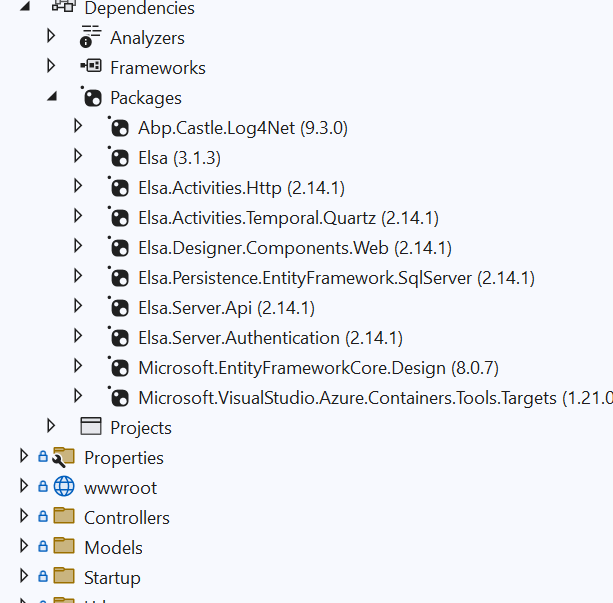
but getting this error after run application.
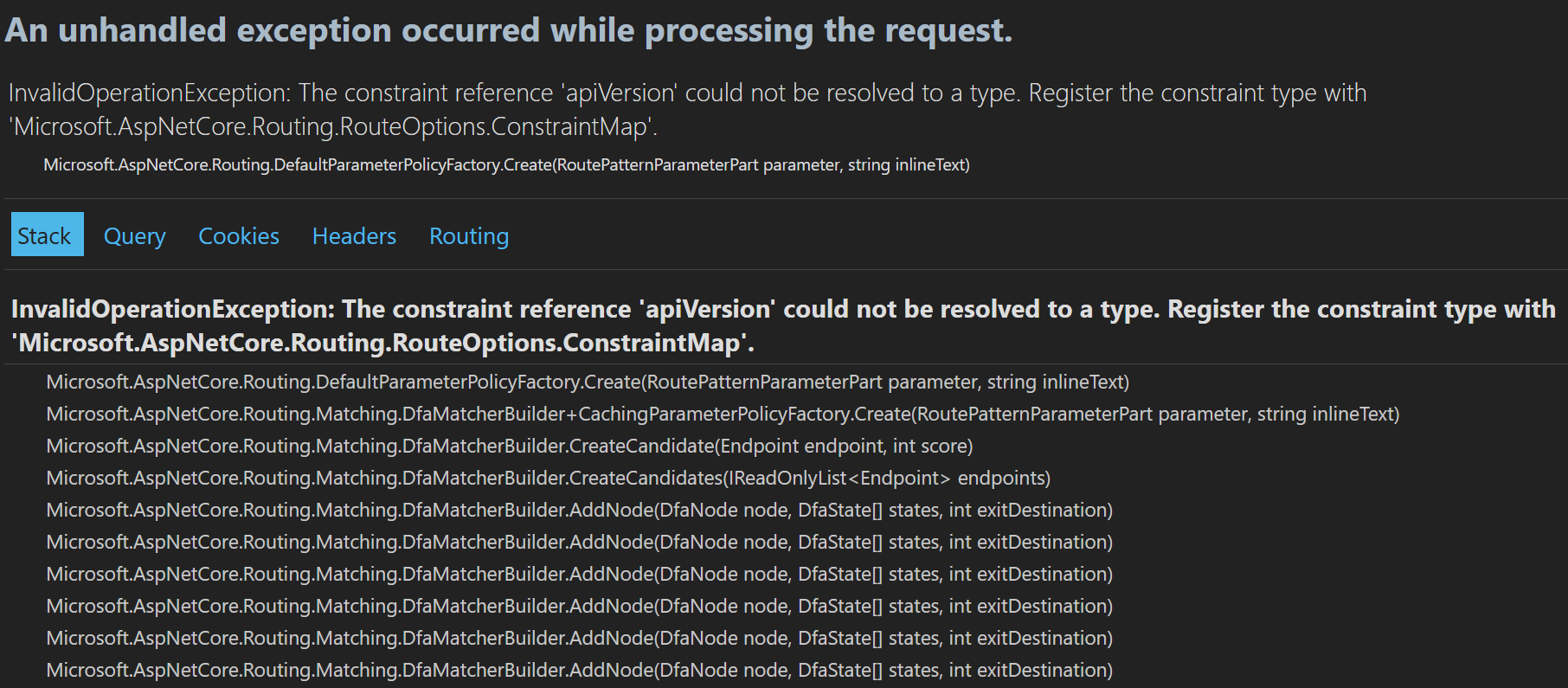
How can we solve this issue? Can you please check this issue as soon as possible, and can you help us integrate Elsa?
Note: - Only NuGet package. Install on the host project and execute the application without any modifications at startup.cs
41 Answer(s)
-
0
Hi
Have you followed the instructions in the document found here?
Markdown is supportedCopy & paste or drag & drop images (max 30 MB per image) -
0
Hi
Have you followed the instructions in the document found here?
we are using Asp.net core & angular .
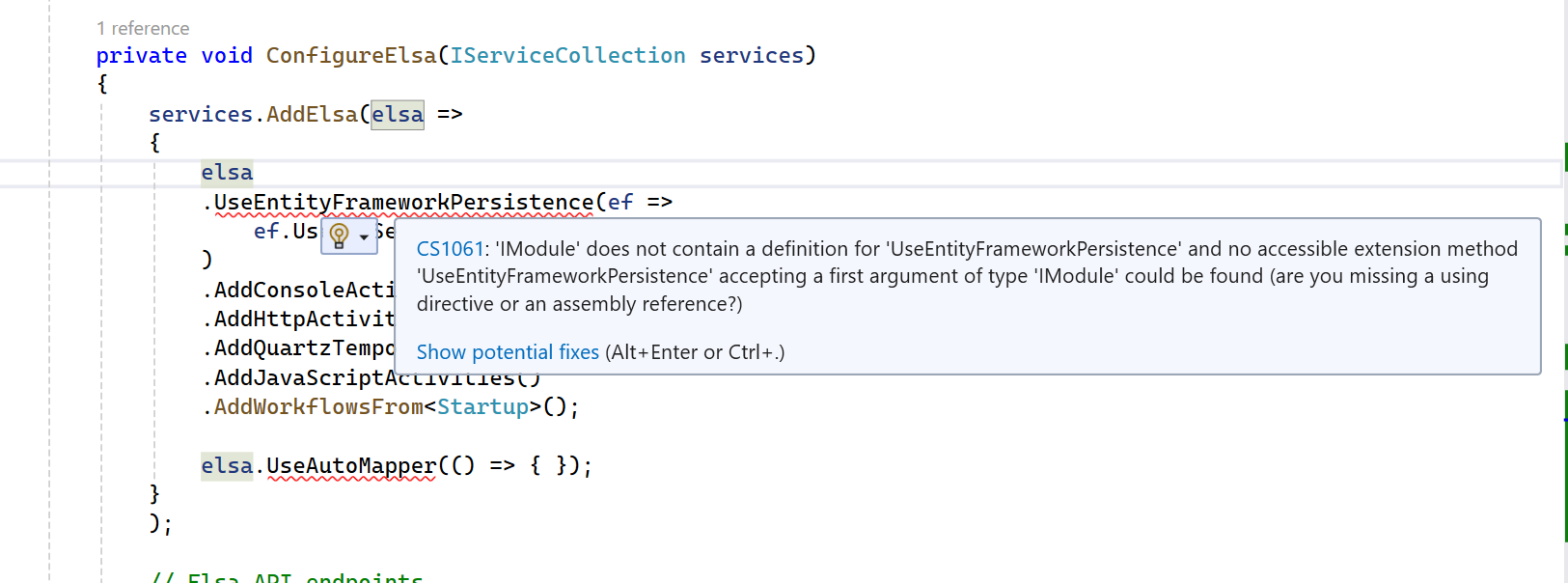
we added Startup.cs below code but getting below error
 Markdown is supportedCopy & paste or drag & drop images (max 30 MB per image)
 -
0
Hi @oguzhanagir,
any Update.
Markdown is supportedCopy & paste or drag & drop images (max 30 MB per image) -
0
Hi
For
UseEntityFrameworkPersistenceyou need to add namespace as below.using Elsa.Persistence.EntityFramework.Core.Extensions;You need to add the following namespaces for all methods inside the
ConfigureElsamethod.using Elsa.Persistence.EntityFramework.Core.Extensions; using Elsa.Persistence.EntityFramework.SqlServer; using Elsa; using Microsoft.AspNetCore.Mvc.Versioning; using Microsoft.AspNetCore.Routing; using Microsoft.AspNetCore.Mvc;Markdown is supportedCopy & paste or drag & drop images (max 30 MB per image) -
0
If your project is Angular, you can proceed from this blog post.
Markdown is supportedCopy & paste or drag & drop images (max 30 MB per image) -
0
If your project is Angular, you can proceed from this blog post.
I have add the following namespaces
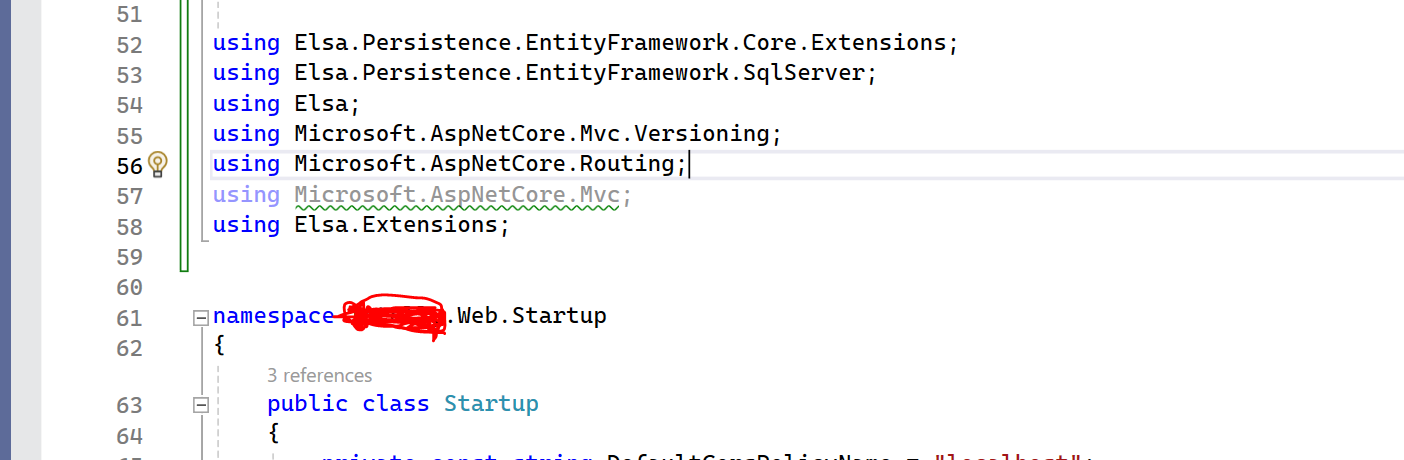 but Getting below error
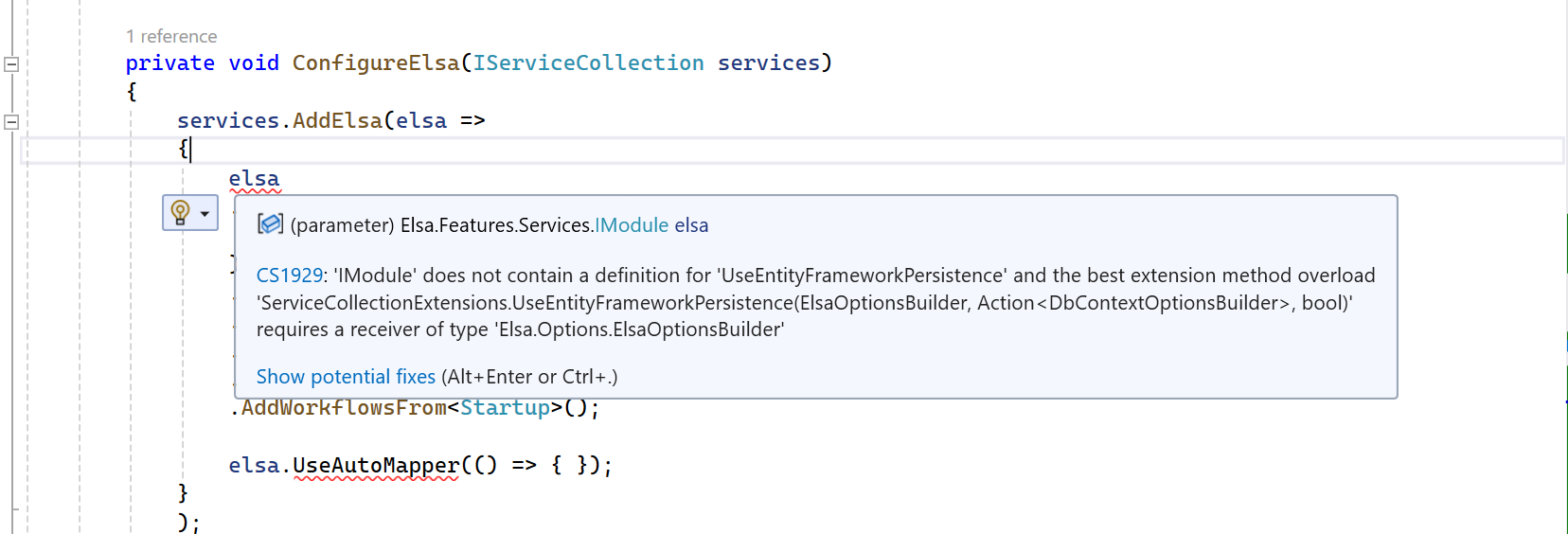
please help us to integration of Elsa.
 here I have changed the Namespace then getting below error
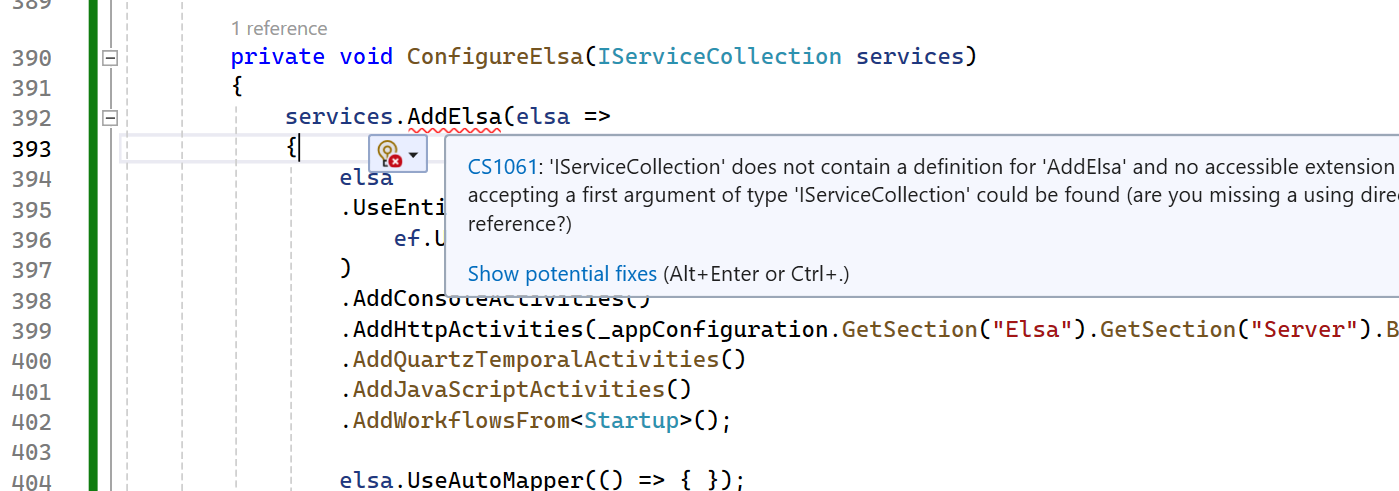 Markdown is supportedCopy & paste or drag & drop images (max 30 MB per image)
 -
0
Hi cyber50.ae
Could you update the
Elsapackage to version 2.14.1 and try this again?Markdown is supportedCopy & paste or drag & drop images (max 30 MB per image) -
0
Hi cyber50.ae
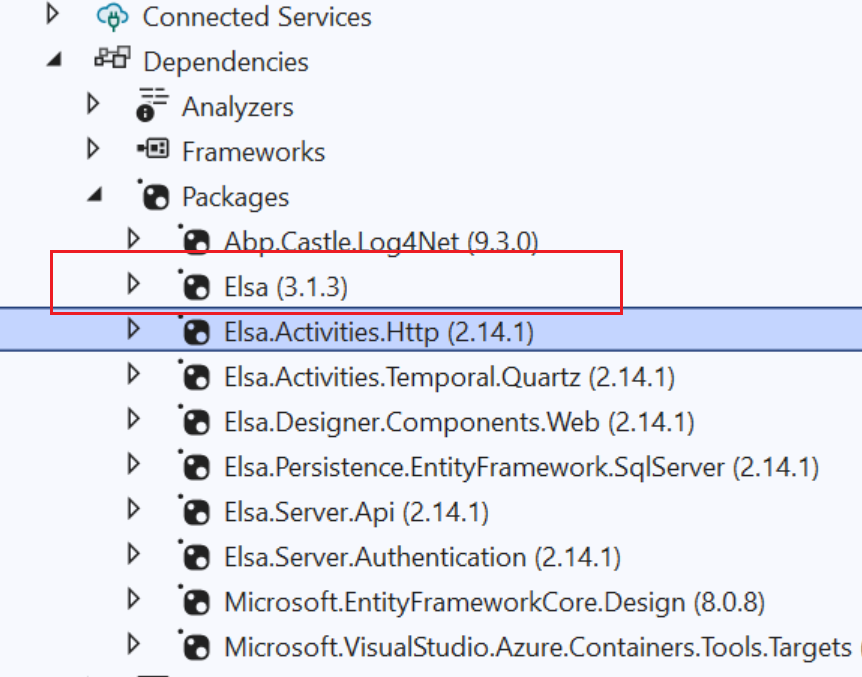
Could you update the
Elsapackage to version 2.14.1 and try this again? here is my update package and below error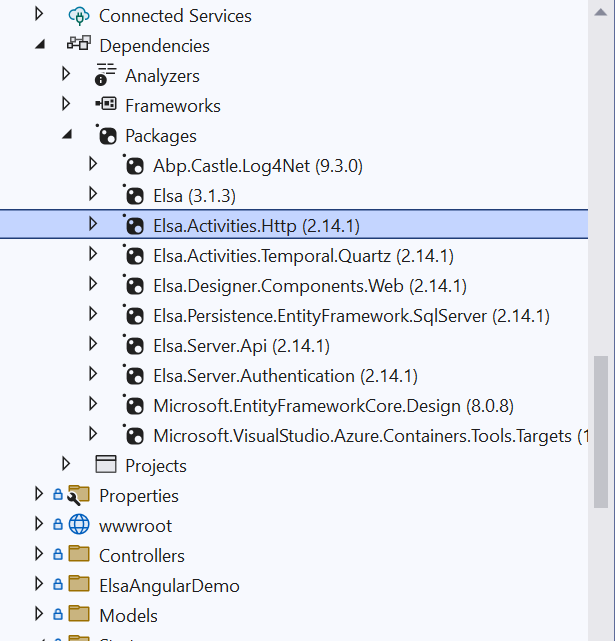
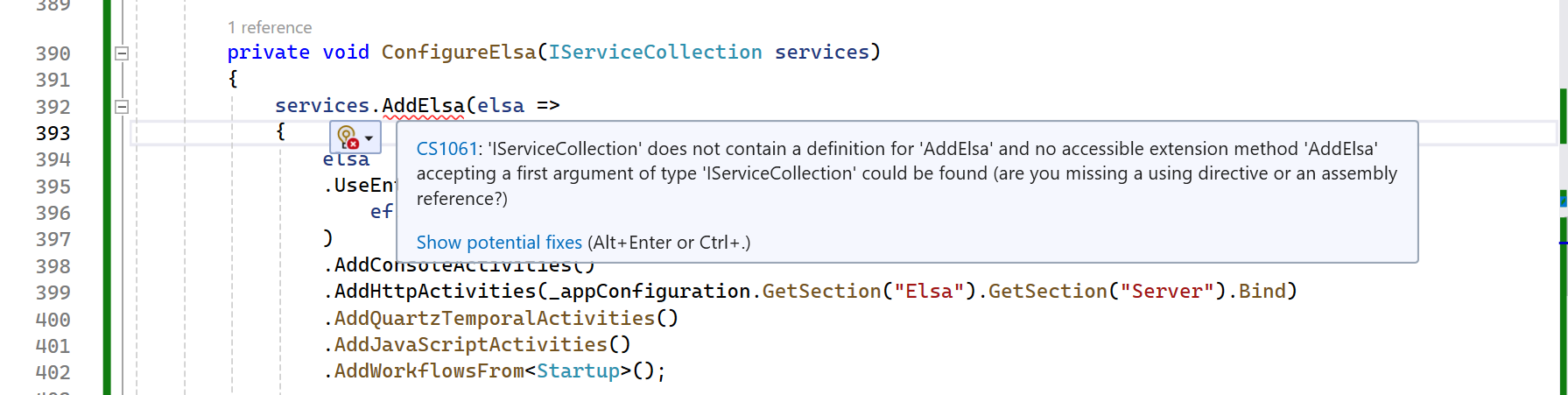
Namespace use
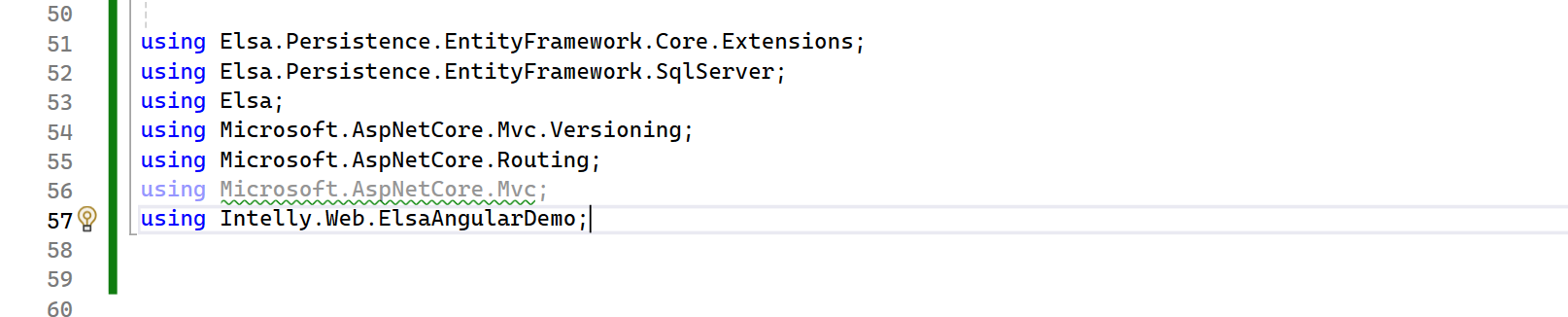 Markdown is supportedCopy & paste or drag & drop images (max 30 MB per image)
 -
0
Hi
Make sure you have updated the package marked with a red field to 2.14.1.
 Markdown is supportedCopy & paste or drag & drop images (max 30 MB per image)
 -
0
Hi
Make sure you have updated the package marked with a red field to 2.14.1.
Issue Solved , Thank you So much.
Markdown is supportedCopy & paste or drag & drop images (max 30 MB per image) -
0
HI @oguzhanagir but project run then issue
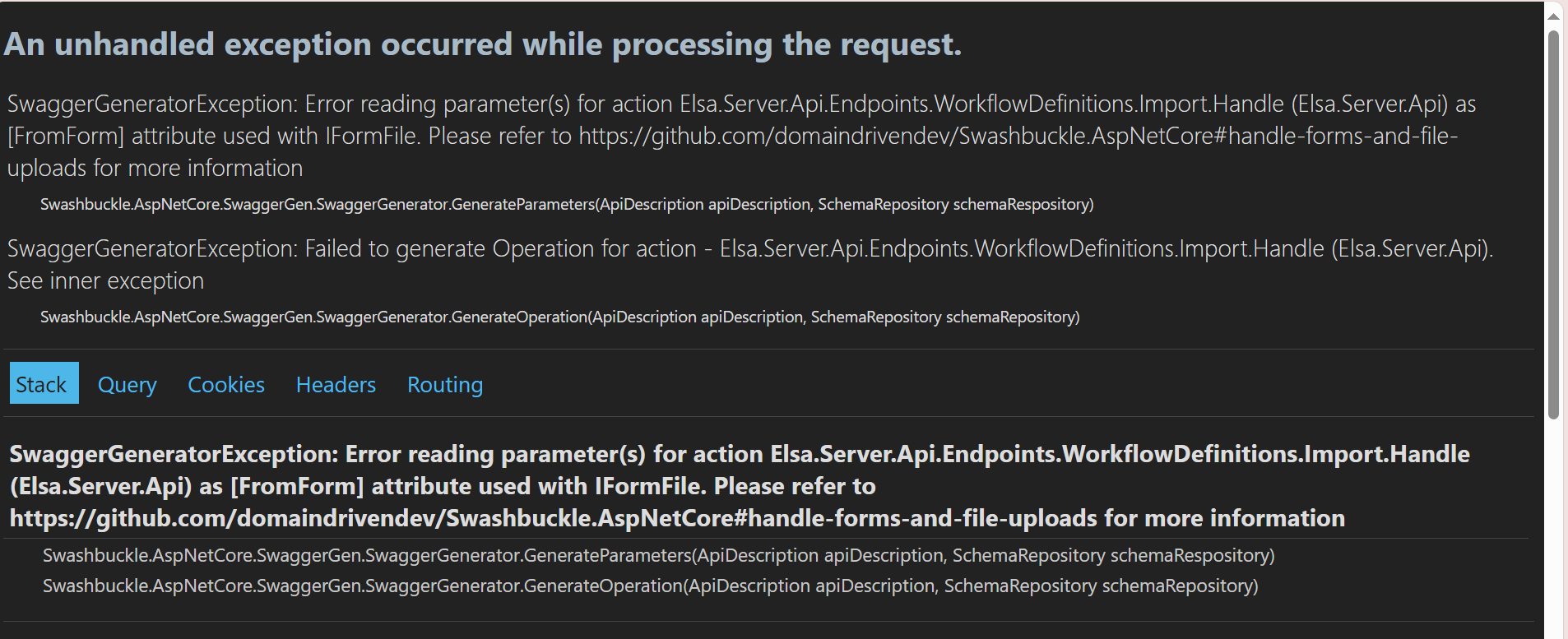 Markdown is supportedCopy & paste or drag & drop images (max 30 MB per image)
 -
0
Hi
Make sure you have updated the package marked with a red field to 2.14.1.
Issue Solved , Thank you So much.
getting below error
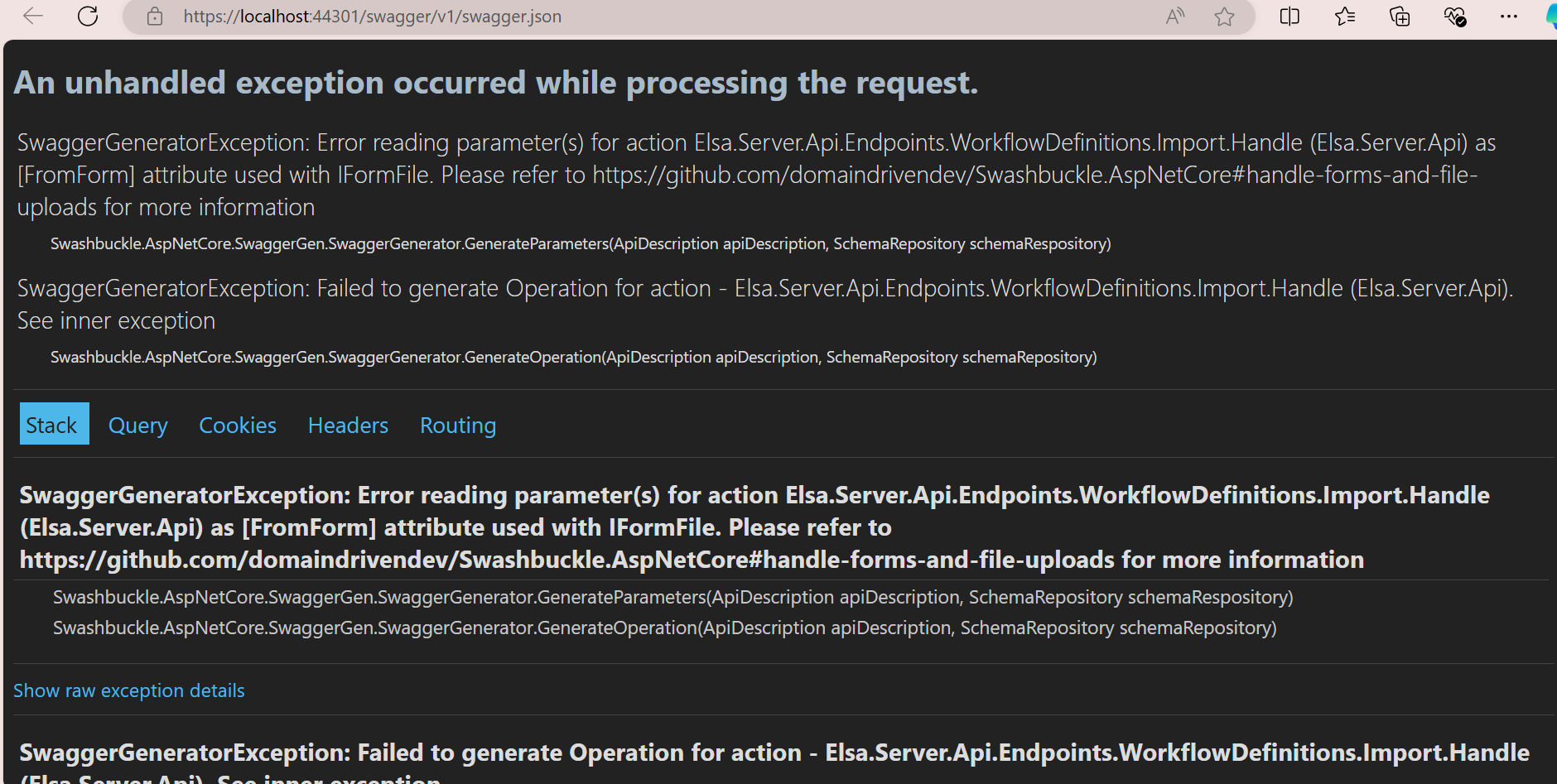 Markdown is supportedCopy & paste or drag & drop images (max 30 MB per image)
 -
0
Hi
Make sure you have completed all the steps in this blog post because the steps are interconnected. Have you applied the steps under the title Hiding Elsa Controllers from Swagger in this blog post? Since we do not use API versioning in ASP.NET Zero, the steps under this heading are important.
Markdown is supportedCopy & paste or drag & drop images (max 30 MB per image) -
0
Hi
Make sure you have completed all the steps in this blog post because the steps are interconnected. Have you applied the steps under the title Hiding Elsa Controllers from Swagger in this blog post? Since we do not use API versioning in ASP.NET Zero, the steps under this heading are important.
yes ,I followed all the steps .Here is my Code .
private void ConfigureElsa(IServiceCollection services) { services.AddElsa(elsa => { elsa .UseEntityFrameworkPersistence(ef => ef.UseSqlServer(_appConfiguration.GetConnectionString("Default")) ) .AddConsoleActivities() .AddHttpActivities(_appConfiguration.GetSection("Elsa").GetSection("Server").Bind) .AddQuartzTemporalActivities() .AddJavaScriptActivities() .AddWorkflowsFrom<Startup>();
      elsa.UseAutoMapper(() => { });
  }
  );

  // Elsa API endpoints.
  services.AddZeroElsaApiEndpoints();
  services.Configure<ApiVersioningOptions>(options =>
  {
      options.UseApiBehavior = false;
  });

  services.Configure<RouteOptions>(options =>
  {
      options.LowercaseUrls = false;
  });
  // For Elsa Dashboard.
  services.AddRazorPages();

  // Remove ABP filter and add Elsa special filter
  services.PostConfigure<MvcOptions>(options =>
  {
      ReplaceResultFilter(options);
  });
}
here added SwaggerDocumentFilter
public class SwaggerDocumentFilter : IDocumentFilter { public void Apply(OpenApiDocument swaggerDoc, DocumentFilterContext context) { foreach (var path in swaggerDoc.Paths) { Console.WriteLine(path); } swaggerDoc.Paths .Where(x => x.Key.Contains("/workflow-definitions") || x.Key.Contains("/workflow-instances") || x.Key.Contains("/workflow-registry") || x.Key.Contains("/workflows/") || x.Key.Contains("/v{apiVersion}", StringComparison.InvariantCultureIgnoreCase) || x.Key.Contains("/v{version}", StringComparison.InvariantCultureIgnoreCase) ) .ToList() .ForEach(x => swaggerDoc.Paths.Remove(x.Key)); } }here SwaggerOperationFilter
public class SwaggerOperationFilter : IOperationFilter { public void Apply(OpenApiOperation operation, OperationFilterContext context) { if (operation.Parameters == null) { return; }
       for (var i = 0; i < operation.Parameters.Count; ++i)
       {
           var parameter = operation.Parameters[i];
           var enumType = context?.ApiDescription?.ParameterDescriptions[i]?.ParameterDescriptor?.ParameterType;
           if (enumType == null)
           {
               continue;
           }

           var schema = context.SchemaRepository.Schemas.GetOrAdd($"{enumType.Name}", () =>
               context.SchemaGenerator.GenerateSchema(enumType, context.SchemaRepository)
           );

           parameter.Schema = schema;
       }
   }
} then SwaggerEnumParameterFilter Changes if (context.ApiParameterDescription == null || context.ApiParameterDescription.Type == null) { return; } then startup swagger
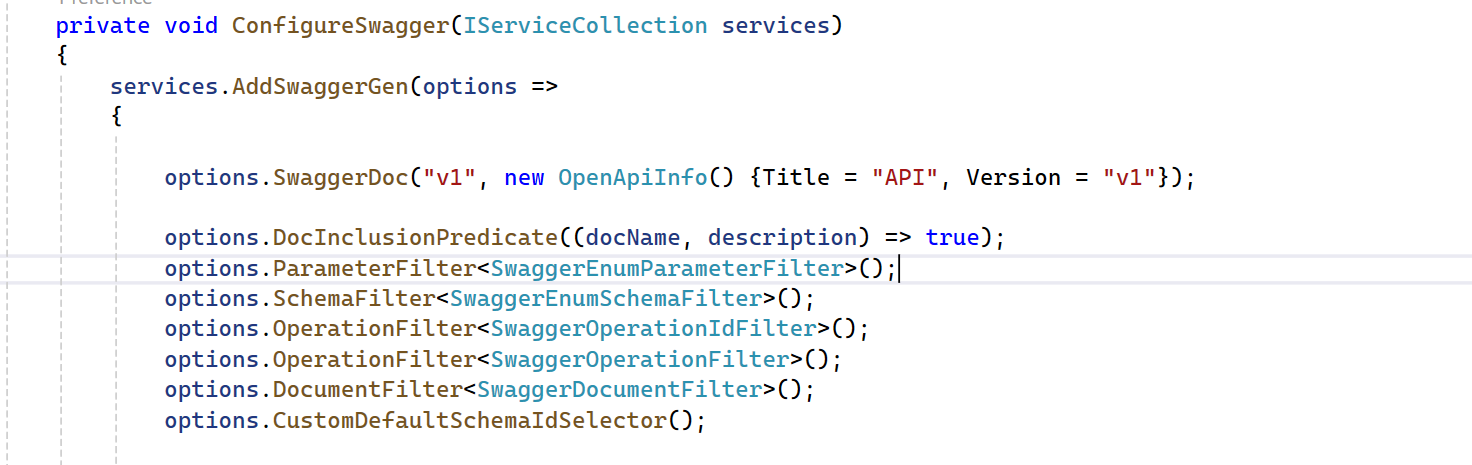
only Backend changes Done not angular Side
Markdown is supportedCopy & paste or drag & drop images (max 30 MB per image) -
0
Hi
Make sure you have completed all the steps in this blog post because the steps are interconnected. Have you applied the steps under the title Hiding Elsa Controllers from Swagger in this blog post? Since we do not use API versioning in ASP.NET Zero, the steps under this heading are important.
Any update please.
Markdown is supportedCopy & paste or drag & drop images (max 30 MB per image) -
0
Hi @[email protected],
Could you check on this project? https://github.com/aspnetzero/aspnet-zero-samples/tree/master/ElsaAngularDemo
If you are unable to get it to work, please share your project with us. [email protected]
Markdown is supportedCopy & paste or drag & drop images (max 30 MB per image) -
0
Hi @[email protected],
Could you check on this project? https://github.com/aspnetzero/aspnet-zero-samples/tree/master/ElsaAngularDemo
If you are unable to get it to work, please share your project with us. [email protected]
not access can you please provide access to me. I will send my GitHub details on [email protected].
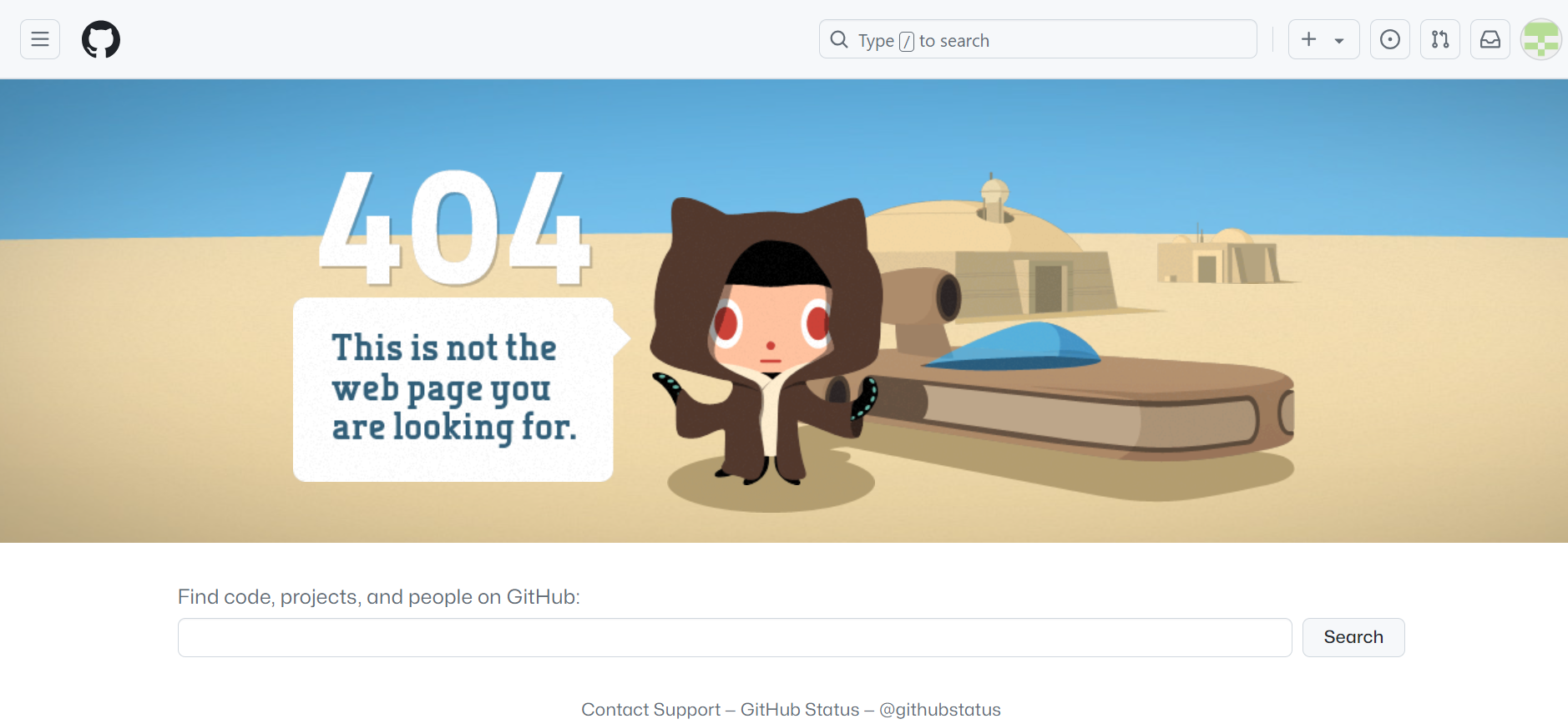 Markdown is supportedCopy & paste or drag & drop images (max 30 MB per image)
 -
0
Hi
After logging in with the user who has the plan on the aspnetzero.com website, clicking the manage button under the Account button, you can give permission to the github user you are trying to log in from the Github Members tab on the relevant page.
Markdown is supportedCopy & paste or drag & drop images (max 30 MB per image) -
0
Hi
You need to write your Github username in this section. Email is not accepted.
Markdown is supportedCopy & paste or drag & drop images (max 30 MB per image) -
0
HI @oguzhanagir ,
We followed all the Step for Elsa integration same As below git hub project https://github.com/aspnetzero/aspnet-zero-samples/tree/master/ElsaAngularDemo
but the problem remains the same, with only one alteration present. We are utilizing 2.14.1, while your project uses version 2.12 of Elsa.
getting below error
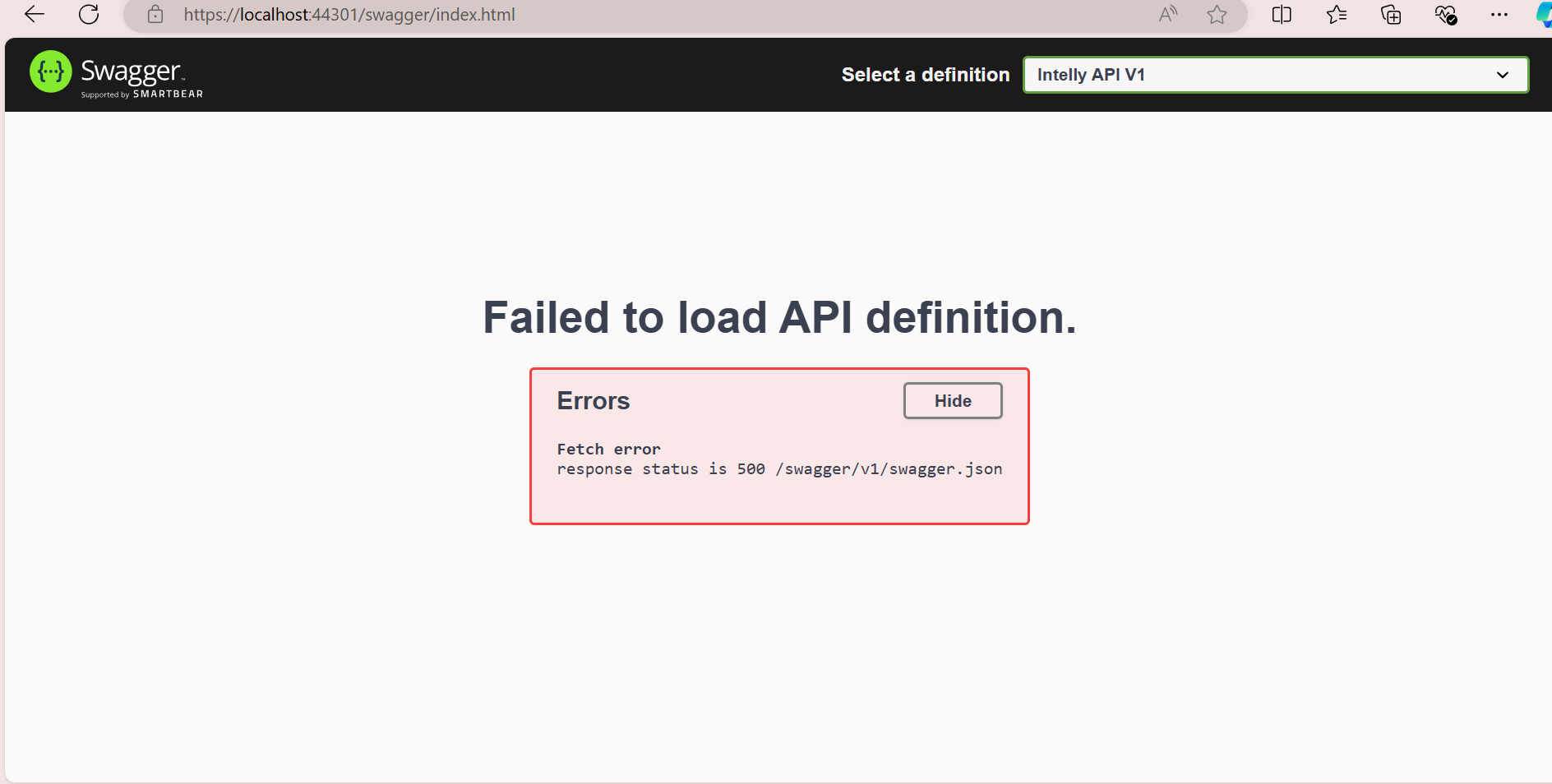
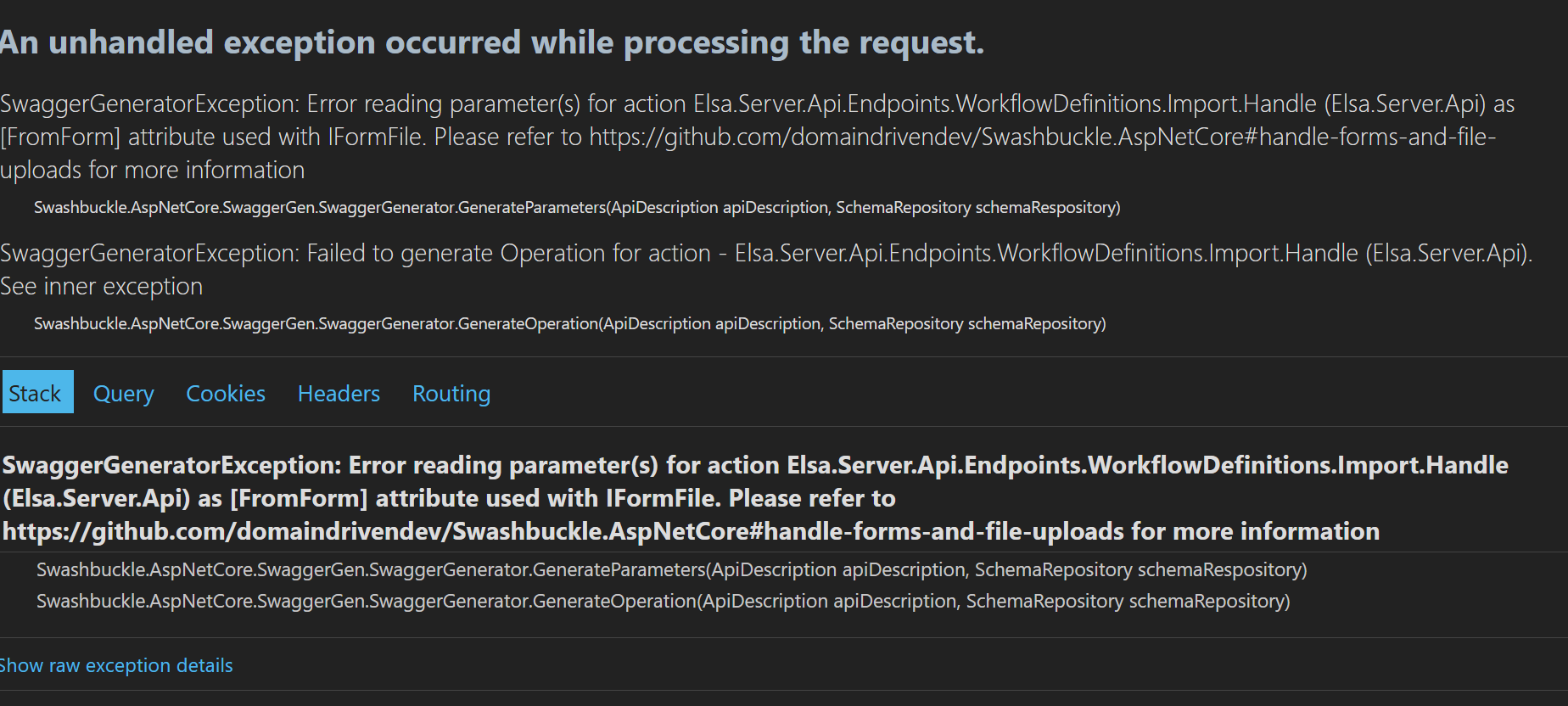 Markdown is supportedCopy & paste or drag & drop images (max 30 MB per image)
 -
0
HI @oguzhanagir ,
We have resolved the backend issue, but we are now facing the following problem:
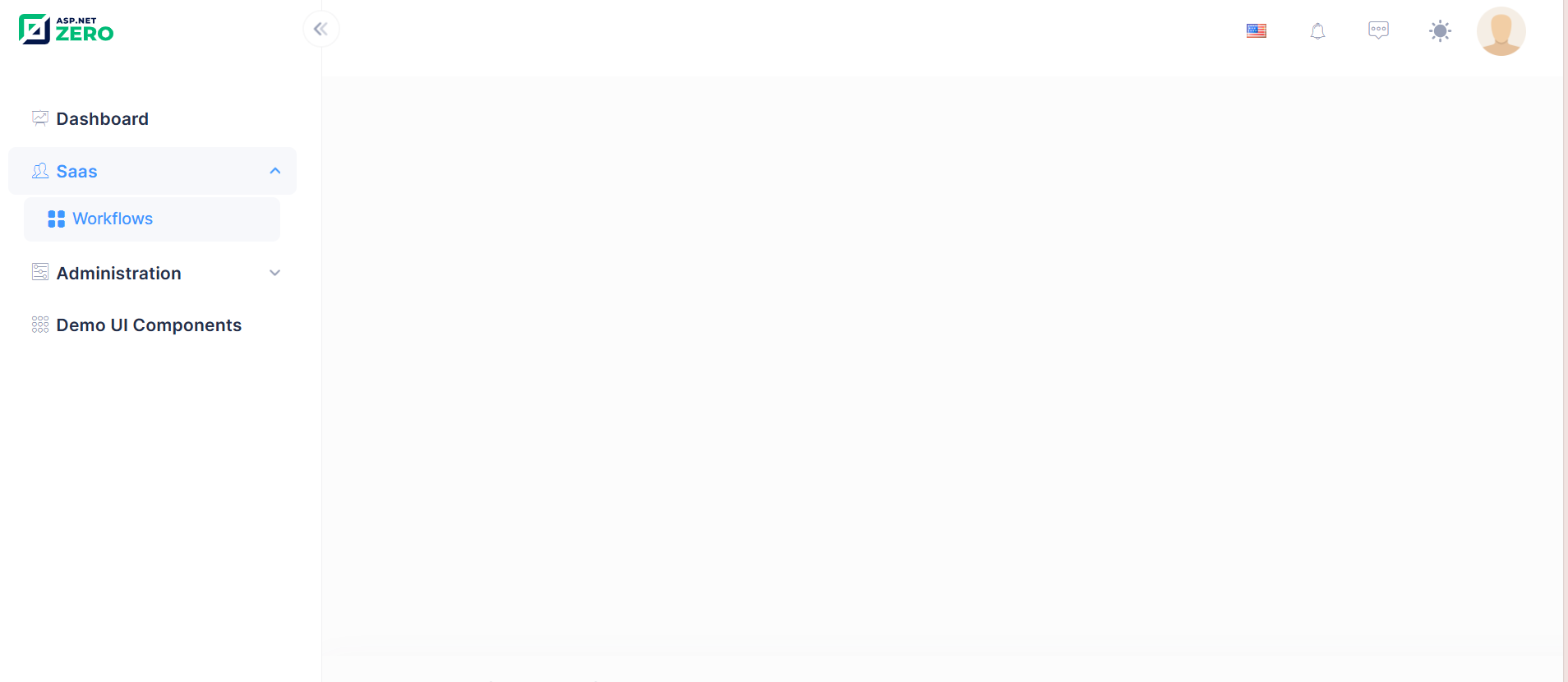
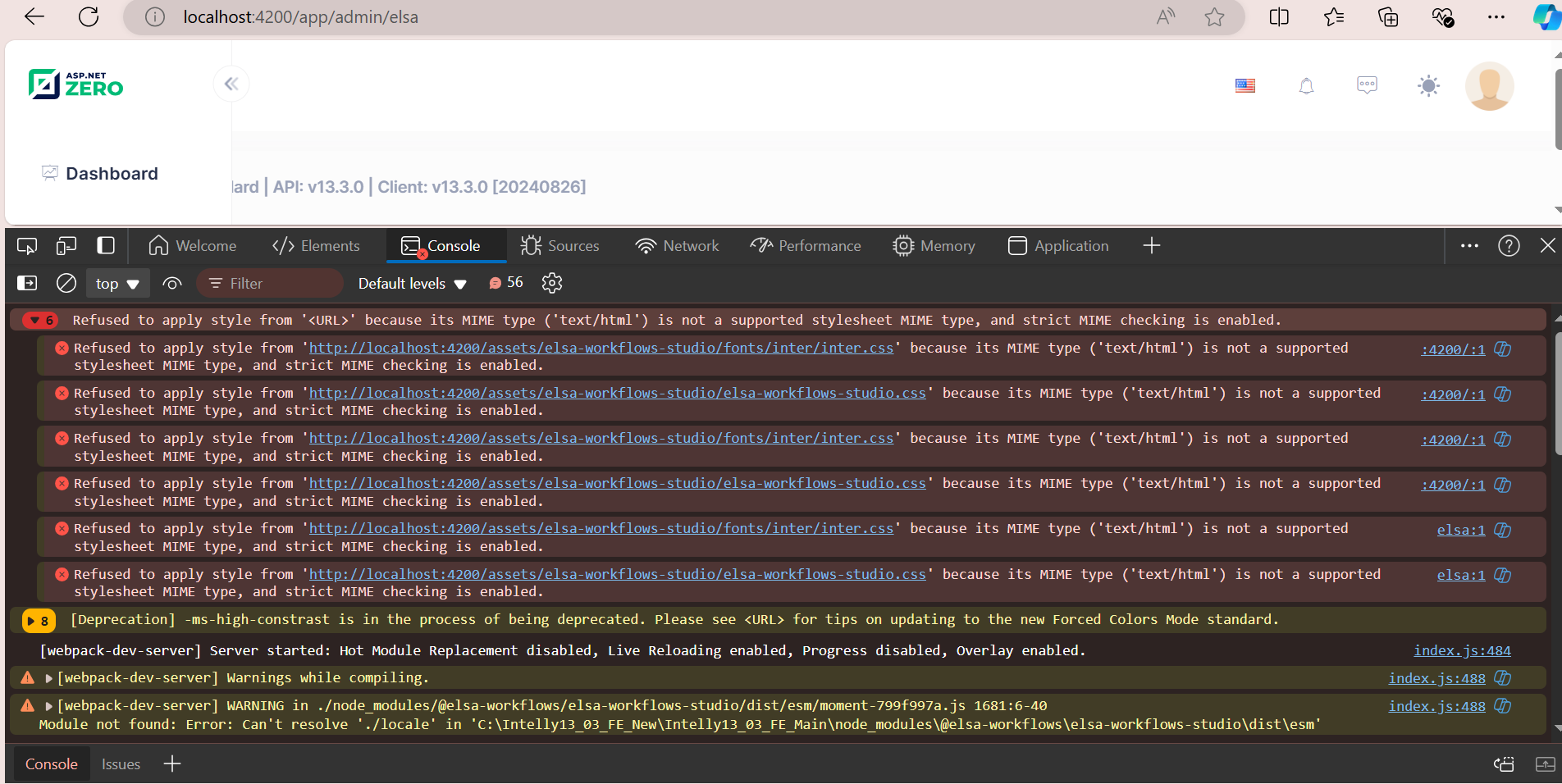
please help as soon as possible.
Markdown is supportedCopy & paste or drag & drop images (max 30 MB per image) -
0
Hi
Did you write the script and style files in
angular.jsonunder the Adding NPM Packages heading in the blog post?And have you added this package to your project
@elsa-workflows/elsa-workflows-studio?Markdown is supportedCopy & paste or drag & drop images (max 30 MB per image) -
0
Hi
Did you write the script and style files in
angular.jsonunder the Adding NPM Packages heading in the blog post?And have you added this package to your project
@elsa-workflows/elsa-workflows-studio?yes, below is my code
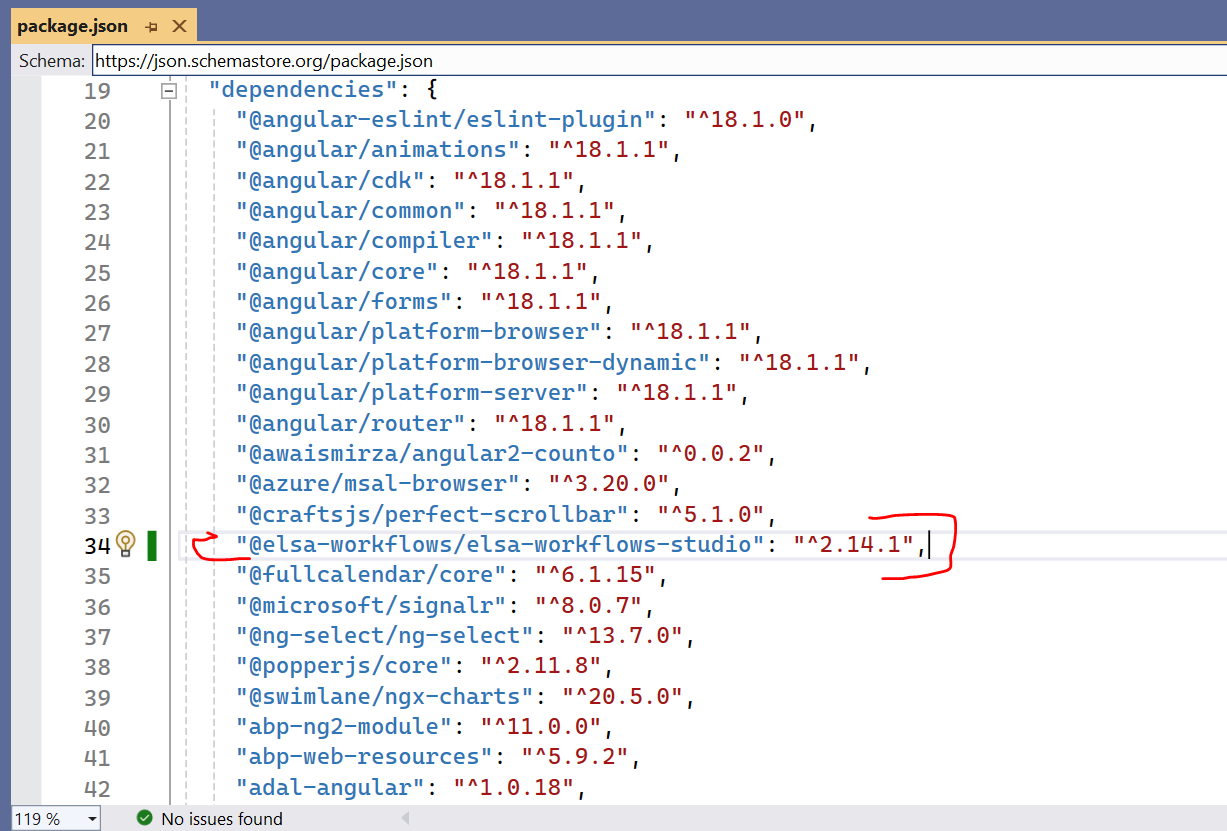
angular.json
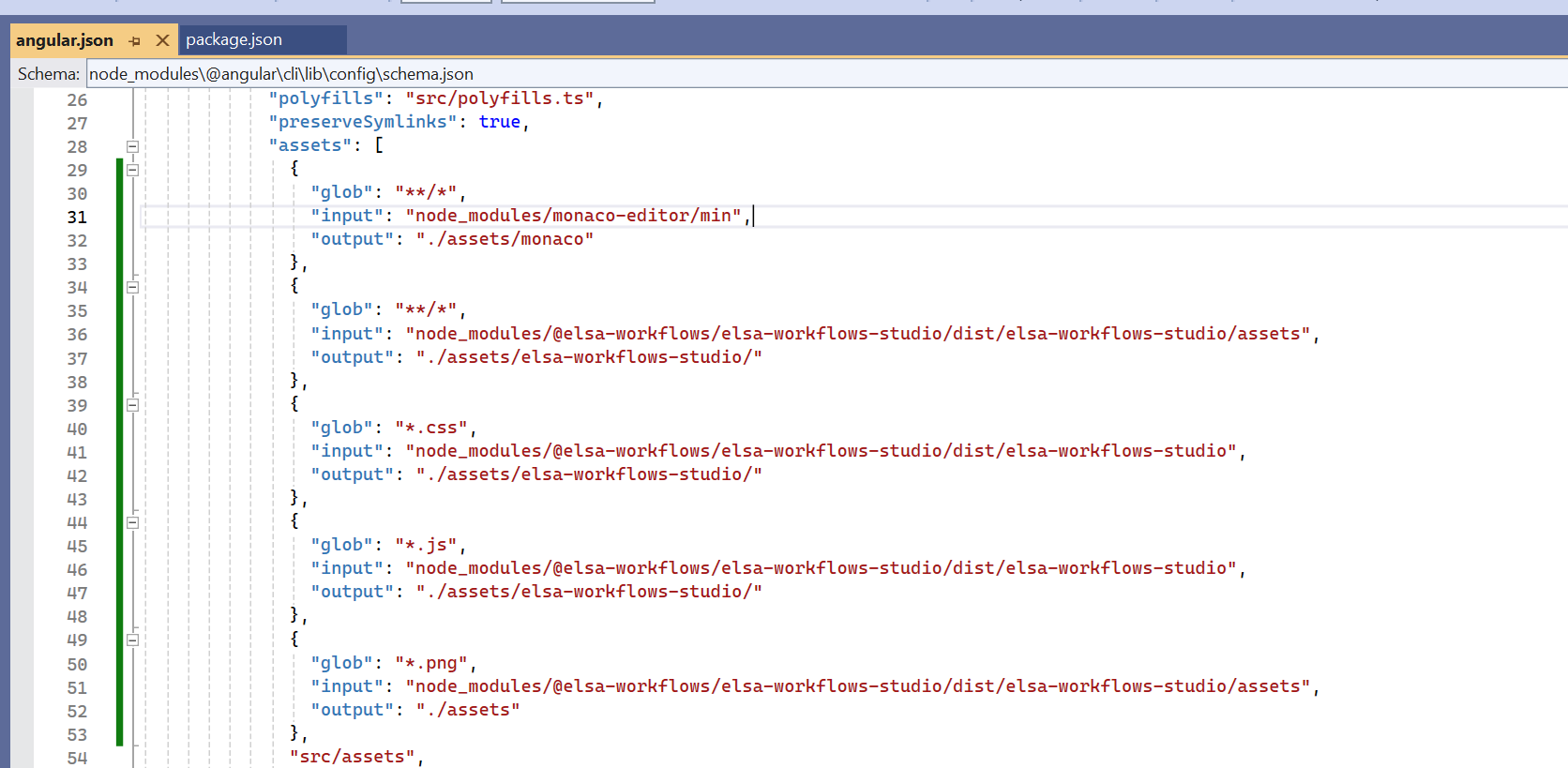 Markdown is supportedCopy & paste or drag & drop images (max 30 MB per image)
 -
0
Hi @oguzhanagir ,
Any update.
Markdown is supportedCopy & paste or drag & drop images (max 30 MB per image) -
0
Hi
Could you please send your project to [email protected] to reproduce the issue?
Before sending the project to us, can you create minify in the project with this command
npm run create-dynamic-bundlesas shown in this document? If the problem persists, you can send your project to us so that we can help you more easily.Markdown is supportedCopy & paste or drag & drop images (max 30 MB per image)

