
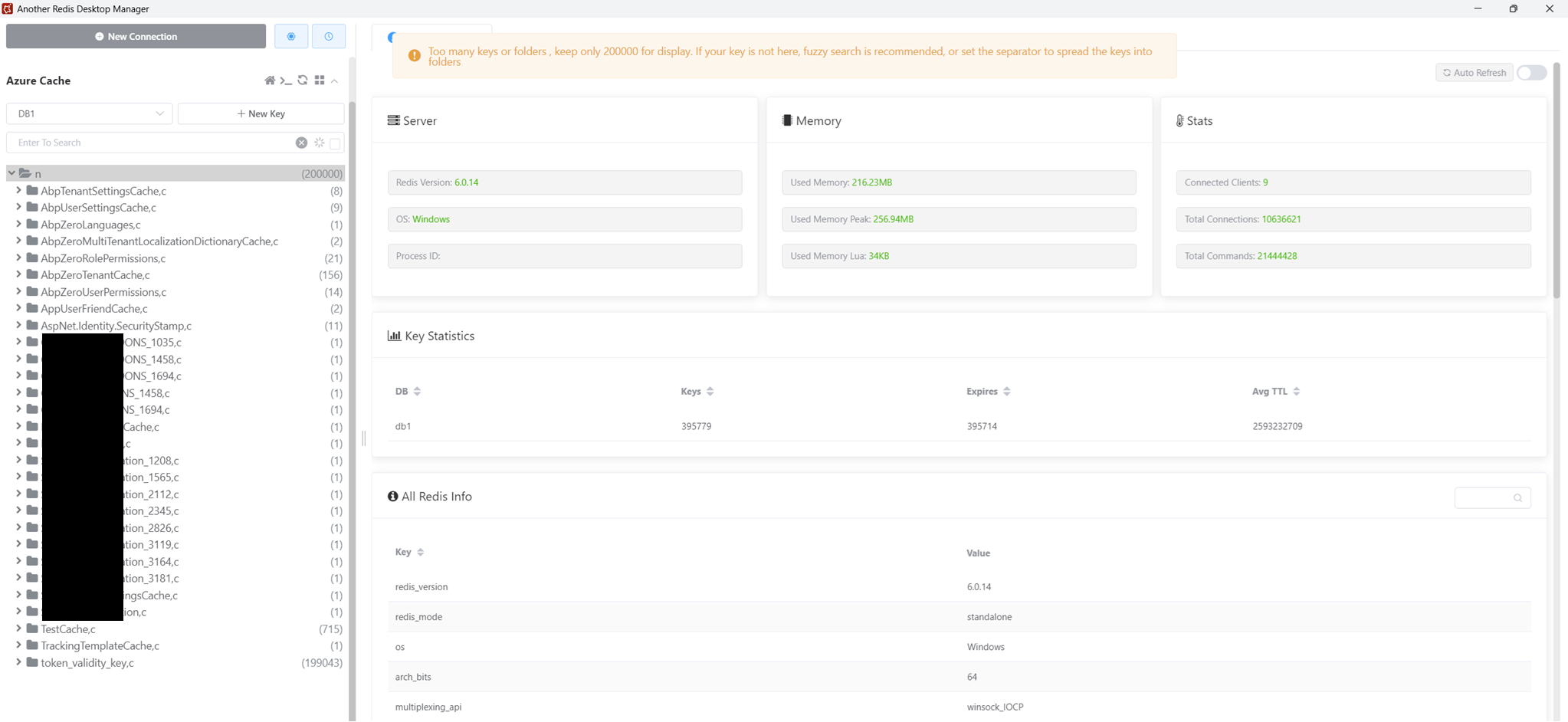
Is this normal to have this many caches for token_validity_key?
5 Answer(s)
-
0
Hi @ajayak
Could you please verify if the Expire Time for
TokenValidityKeyis specified in theCreateJwtClaimsmethod within theTokenAuthController? Additionally, could you confirm if a deletion process forTokenValidityKey, as outlined below, is being performed in theLogOutmethod in your project?var tokenValidityKeyInClaims = User.Claims.First(c => c.Type == AppConsts.TokenValidityKey); await RemoveTokenAsync(tokenValidityKeyInClaims.Value);Markdown is supportedCopy & paste or drag & drop images (max 30 MB per image) -
0
Hi @oguzhanagir,
There is no change made by me in
TokenAuthController.csclass. It's all framework code. TheLogoutmethod contains the code to remove token andCreateJwtClaimscontains the logic to add the expiration time for all tokens. Note: I'm using Redis cache.Markdown is supportedCopy & paste or drag & drop images (max 30 MB per image) -
0
Hi @ajayak
Thank you for your feedback. We have created an issue for this. You can follow the developments here. Thank you.
Markdown is supportedCopy & paste or drag & drop images (max 30 MB per image) -
0
Thankyou
Markdown is supportedCopy & paste or drag & drop images (max 30 MB per image) -
0
Hi @ajayak
Two different keys, AccessToken and RefreshToken, are added to the token_validity_key cache. The default expiration time for the AccessToken is set to 1 day, while the RefreshToken is configured to be stored in the cache for 365 days.
In some cases, users do not manually log out of the application, which causes old data related to the token_validity_key to remain in the cache. Therefore, it is recommended to reduce the cache expiration time for the RefreshToken.
You can do this by changing the value of
RefreshTokenExpirationlocated under theAppConstclass in your application.If you only want to reduce the duration the token is kept in the cache, you can adjust the
expirationvalue in theCreateJwtClaimsmethod within theTokenAuthControllerclass.Thank you
Markdown is supportedCopy & paste or drag & drop images (max 30 MB per image)
