
Hi,
I am using the asp.net core mvc & jQuery solution. My solution works fine in the local machine when I run it from visual studio. But I had to publish it to be shown.

5 Answer(s)
-
0
ASP.NET Zero solution has a build folder which contains a Powershell script to build & publish your solution to the output folder.
Markdown is supportedCopy & paste or drag & drop images (max 30 MB per image) -
0
Hi,
I used powershell script when i was publishing the project. But i got same error. it can be related with server configuration?
Markdown is supportedCopy & paste or drag & drop images (max 30 MB per image) -
0
it's related with bundling. I see that your resources are not bundled.
Markdown is supportedCopy & paste or drag & drop images (max 30 MB per image) -
0
Hi,
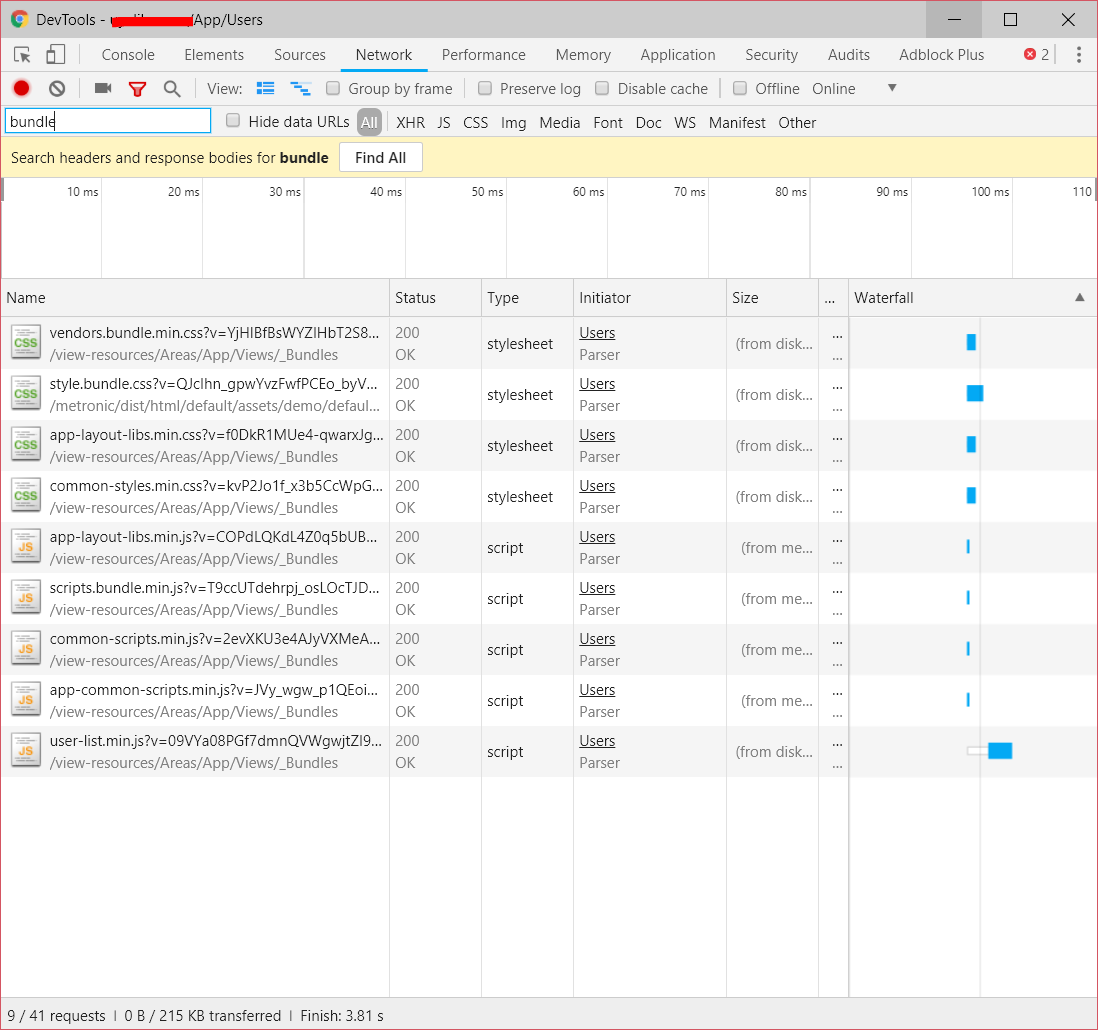
I shared network panel, it seems all resourches loaded. Is there any problem with bundling?
 Markdown is supportedCopy & paste or drag & drop images (max 30 MB per image)
 -
0
Hi @ydyazilim,
Sorry for our late response. Problem might be related to a non-bundled file as well.
Do you have a public url which we can check the problem for you ? If not, we can try to help you via teamviewer next week. If that is the case, please send an email to <a href="mailto:[email protected]">[email protected]</a> in order to schedule a meeting.
Markdown is supportedCopy & paste or drag & drop images (max 30 MB per image)

