
Hi,
We are developing a client application where we are exposing APIs to external application. That external application needs a static token instead of calling Authentication API every time when token expires I tried to create seperate API like TokenAuth/Authentication to generate static token valid for 365 days but it seems to be valid only for 24 hours instead of 365 days. I set expiration time for this access token to 365 days but it dosen't seems to be working as expected.
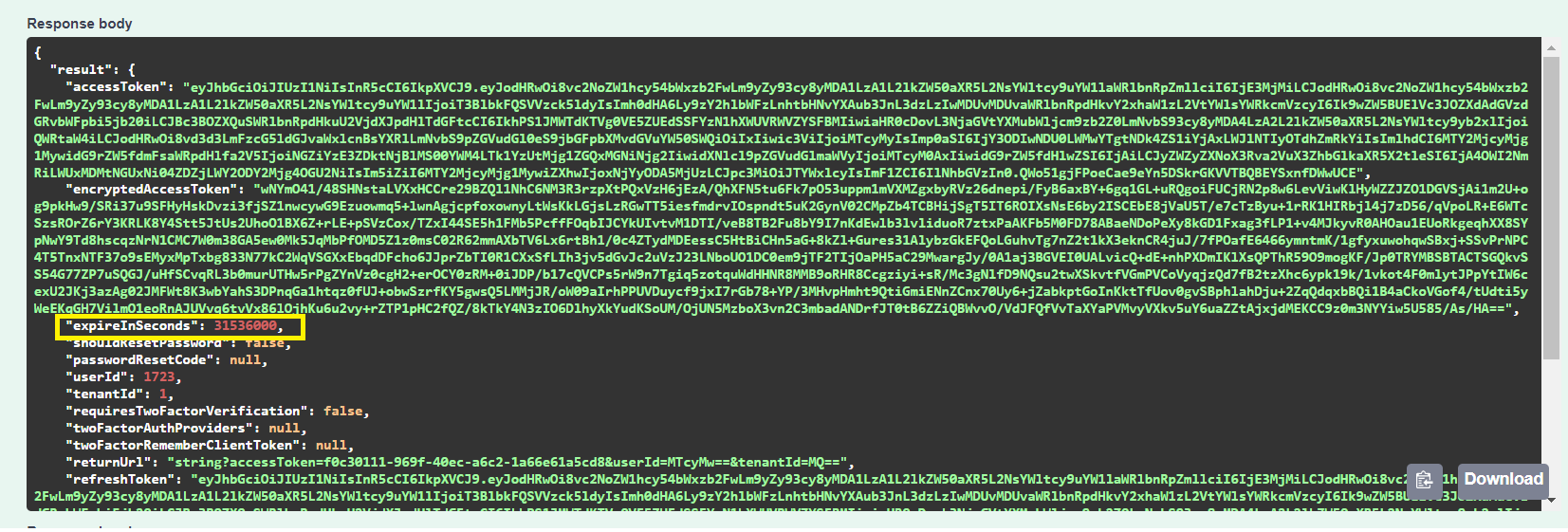
Can you please suggest how we can achieve this through framework?
5 Answer(s)
-
0
Hi,
When you call CreateAccessToken method (see https://github.com/aspnetzero/aspnet-zero-core/blob/dev/aspnet-core/src/MyCompanyName.AbpZeroTemplate.Web.Core/Controllers/TokenAuthController.cs#L781), you can pass expiration time to this method. Otherwise, the default value (1 day) will be used. Are you using the similar approach ?
Markdown is supportedCopy & paste or drag & drop images (max 30 MB per image) -
0
Thank you Ismail
We tried this option as well by passing expiration time to CreateAccessToken . As you see in above scrrenshot, access token time expire in seconds = 365 days but in actual, it is valid only for 1 day.
Markdown is supportedCopy & paste or drag & drop images (max 30 MB per image) -
0
hi Ismail,
Reopened this ticket again
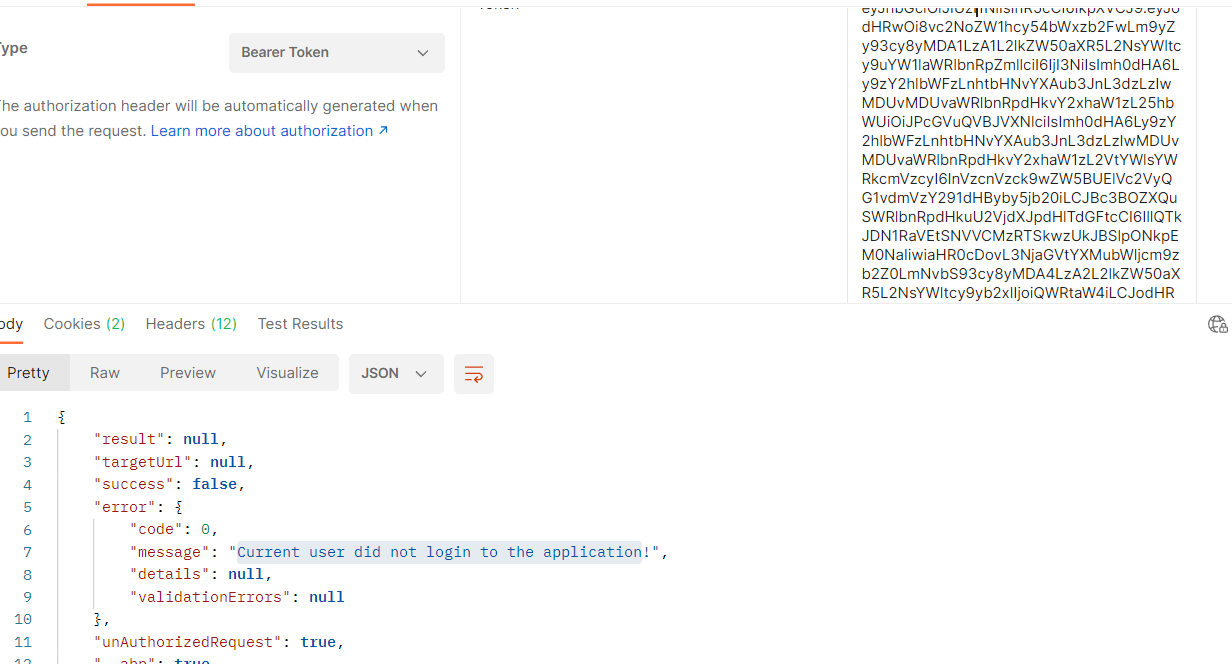
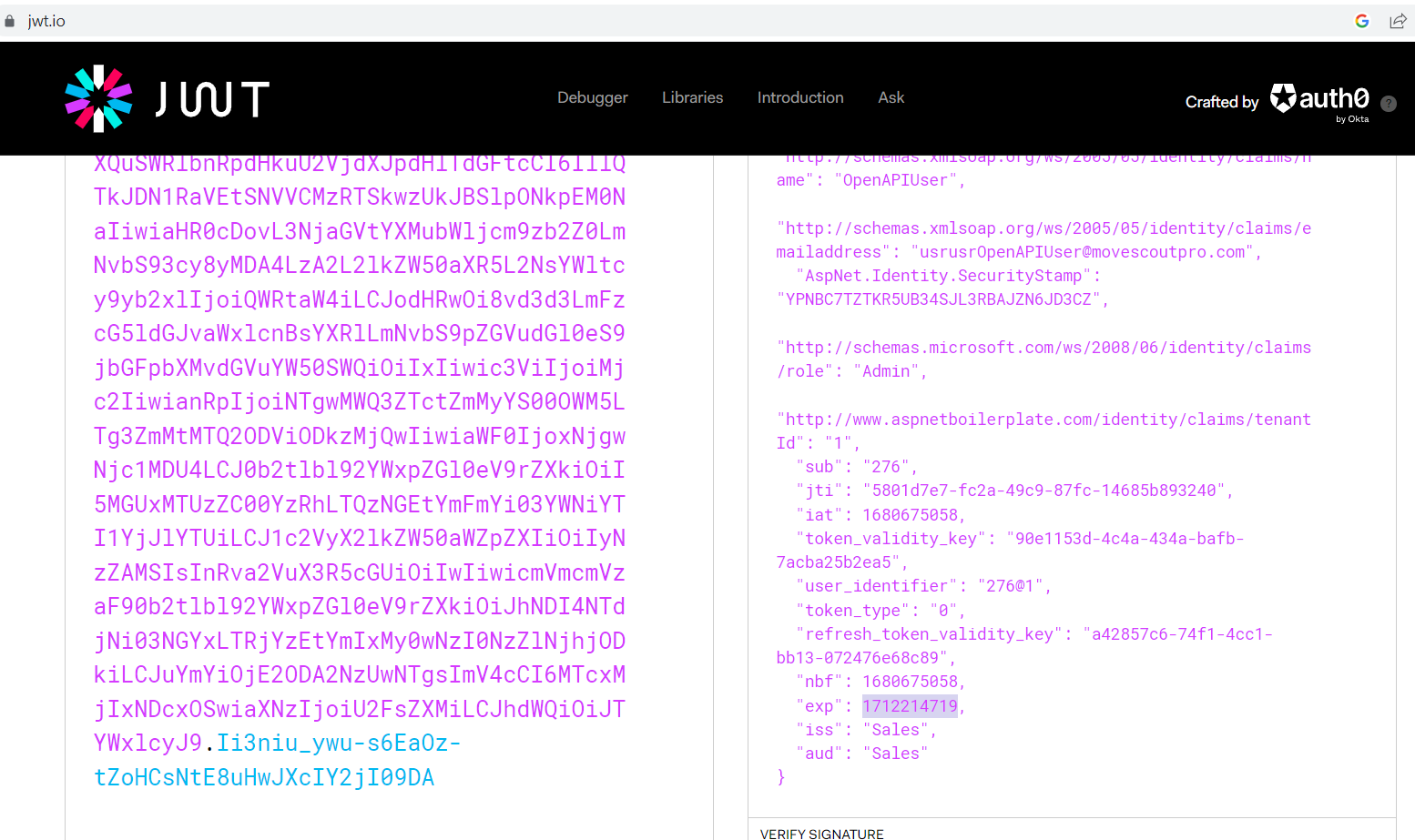
We created a method which generates static token which is valid for 365 days by passign expiration time But, we can't use this token more than a day It is throwing error "Current user did not login to the application"
Can you please help me to resolve this issue?
Token error =>
Token Expiry date screenshot =>
 Markdown is supportedCopy & paste or drag & drop images (max 30 MB per image)
-
0
Hi,
Does that work if you change this configuration to 365 days ?
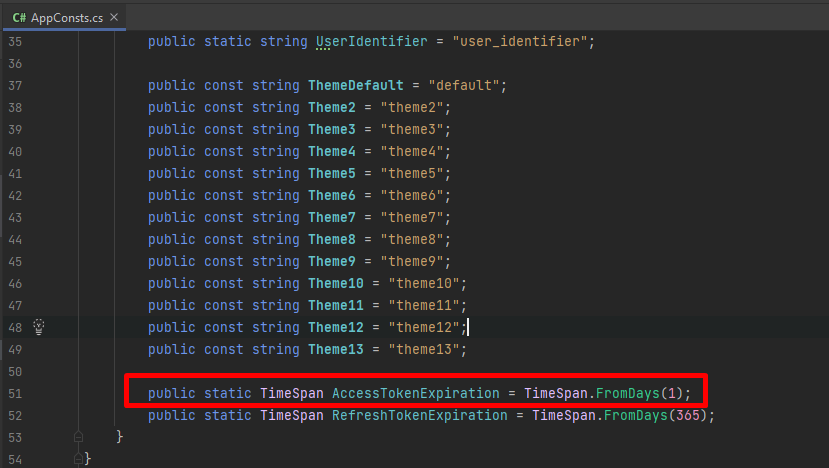 Markdown is supportedCopy & paste or drag & drop images (max 30 MB per image)
-
0
Ismail,
I have written following code . So here I set Access token ExpireInSeconds property assigned to RefreshTokenExpiration value which is 365 days.
var accessToken = CreateAccessToken(await CreateJwtClaims(loginResult.Identity, loginResult.User, refreshTokenKey: refreshToken.key),new TimeSpan(365,1,1,1));
     return new AuthenticateResultModel
     {
        AccessToken = accessToken,
        ExpireInSeconds = (int)_configuration.RefreshTokenExpiration.TotalSeconds,
        RefreshToken = refreshToken.token,
        RefreshTokenExpireInSeconds = (int)_configuration.RefreshTokenExpiration.TotalSeconds,
        EncryptedAccessToken = GetEncryptedAccessToken(accessToken),
        TwoFactorRememberClientToken = twoFactorRememberClientToken,
        UserId = loginResult.User.Id,
        TenantId = loginResult.Tenant?.Id,
        ReturnUrl = returnUrl,
     };
Looks like AbpAuthorize is not validating this access token validity . can you pl confirm.
[AbpAuthorize] public async Task<LeadOpportunityDetailDto> GetOpportunityDetail(string OpportunityId)
Markdown is supportedCopy & paste or drag & drop images (max 30 MB per image)
