
I want to enable both okta and auth0 for a single tenant as some users may login through okta and some through auth0. I am having a multitenant application. Do I need to custom the code or there is a functionality in the base code. Could you please help me out how can I achieve that
145 Answer(s)
-
0
var authProperties = new AuthenticationProperties
{
    RedirectUri = "/Account/AfterLogout?returnUrl=" + Uri.EscapeDataString(returnUrl)
};

return new SignOutResult(OpenIdConnectDefaults.AuthenticationScheme, authProperties);This worked. Thanks.
Markdown is supportedCopy & paste or drag & drop images (max 30 MB per image) -
0
hi
Please share a new
providerAccessCodei will test again.Markdown is supportedCopy & paste or drag & drop images (max 30 MB per image) -
0
hi
Please share a new
providerAccessCodei will test again.eyJhbGciOiJSUzI1NiIsInR5cCI6IkpXVCIsImtpZCI6IlYzTUpyb2dPZ2xIVjltczNQZUpBYyJ9.eyJuaWNrbmFtZSI6ImRpbXBsZSIsIm5hbWUiOiJkaW1wbGVAZnluYW5jaWFsLmNvbSIsInBpY3R1cmUiOiJodHRwczovL3MuZ3JhdmF0YXIuY29tL2F2YXRhci9iMTZiZGI3N2I3ZTI5NGNiZGM3ZTUxOWVhMjFhNGRiNz9zPTQ4MCZyPXBnJmQ9aHR0cHMlM0ElMkYlMkZjZG4uYXV0aDAuY29tJTJGYXZhdGFycyUyRmRpLnBuZyIsInVwZGF0ZWRfYXQiOiIyMDI1LTAyLTEwVDA4OjUzOjExLjcwOVoiLCJlbWFpbCI6ImRpbXBsZUBmeW5hbmNpYWwuY29tIiwiZW1haWxfdmVyaWZpZWQiOmZhbHNlLCJpc3MiOiJodHRwczovL2Z5bmF1dGgwLnVrLmF1dGgwLmNvbS8iLCJhdWQiOiJqaElmbVRVUDN2ZGRVRWdseFhZRjE2TGFESjJuRnB4eSIsInN1YiI6ImF1dGgwfDY3MDI4ZThmYzNlYjhkNmIzNzU3NjliYiIsImlhdCI6MTczOTE3NzYxOCwiZXhwIjoxNzM5MjEzNjE4LCJzaWQiOiJIdHk1bWdaZmIxbHctNTktbjFJZzN4a0JSVXVsRXpvQyJ9.G9Q3loF9RhDvkMYPsGYaxFHU2vMP_ZF10SKC8uBOSlnUCnoRAUqsvBwOabOvptkKjrkC72CWRMhWC27YeXVeU8_-GqUO9OVDbXl1crpEuEV4lHqzCF32SFgf_YLRbgqtQy8_B91h-8rqNU_Ls_HsEH1b1ssknIu0_PGdyIV96ZiD1eN2ynaPrEHe6fkcPeXFfItm6f-8ldssmlohHKeYJU8GHRx2VwMOoNO6qoaQPSoNrBjW9-9D8YPPWpKe5SFLFvxTiJN2Tt_Z4mPVj6Uy5Liq0r8SqzsrR2xa0OIyjnjX3Wl9zncKjt4x4o_-BfCSfGaHHI4RiAbodbPo_XHxEA
Markdown is supportedCopy & paste or drag & drop images (max 30 MB per image) -
0
hi
https://github.com/maliming/CDP-Base-Zero-13.0.0/blob/master/src/CDP.Web.Core/Controllers/TokenAuthController.cs#L660-L700
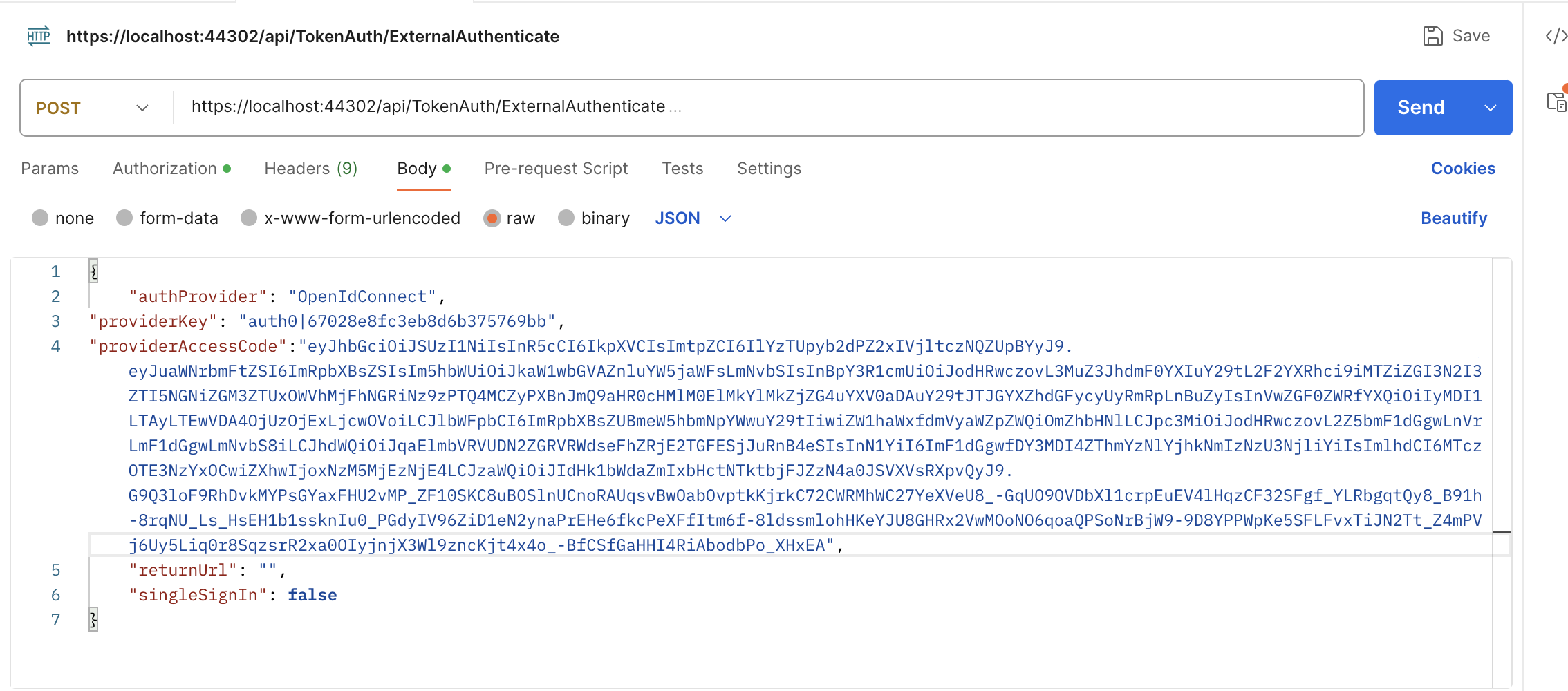
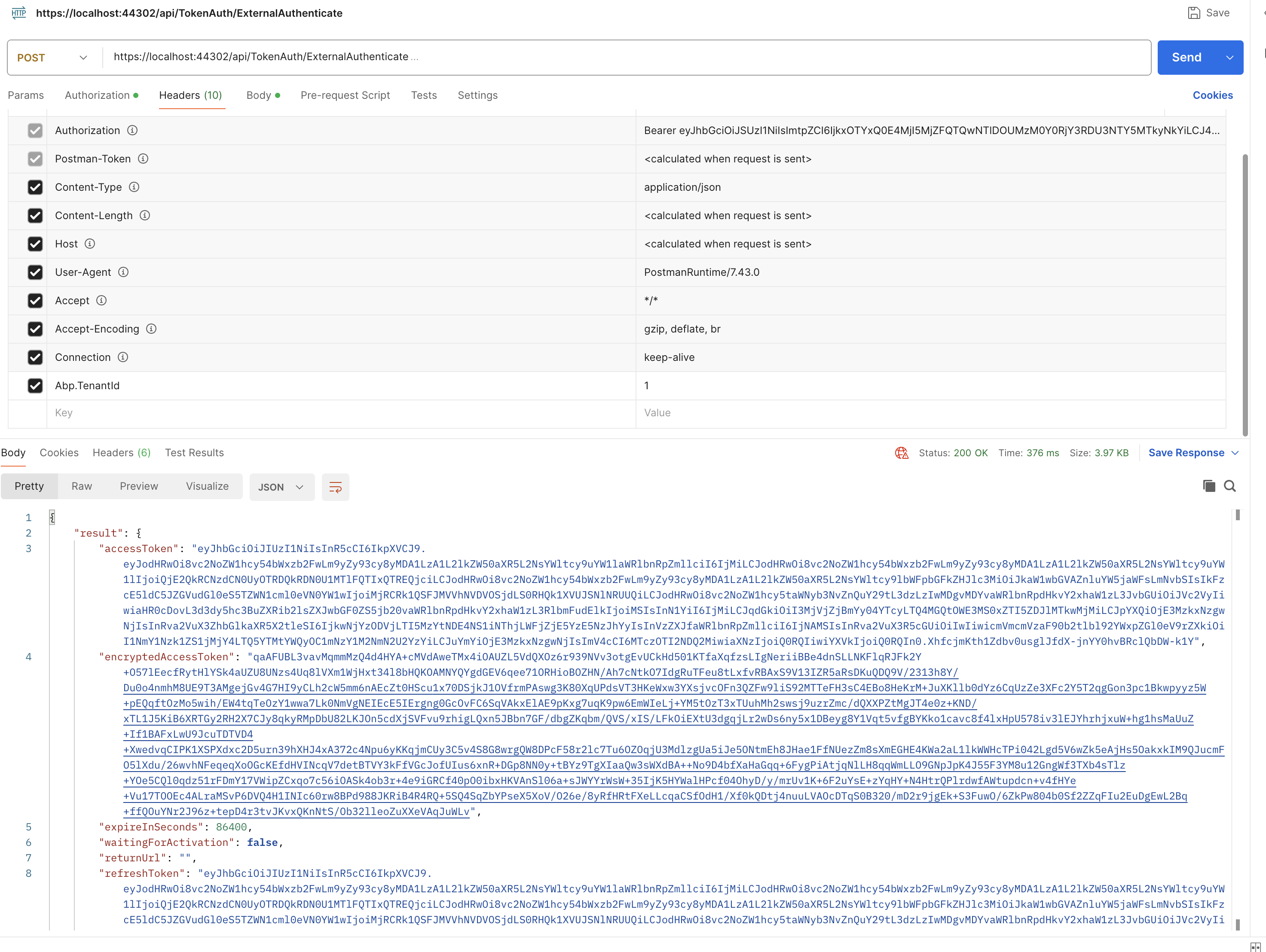
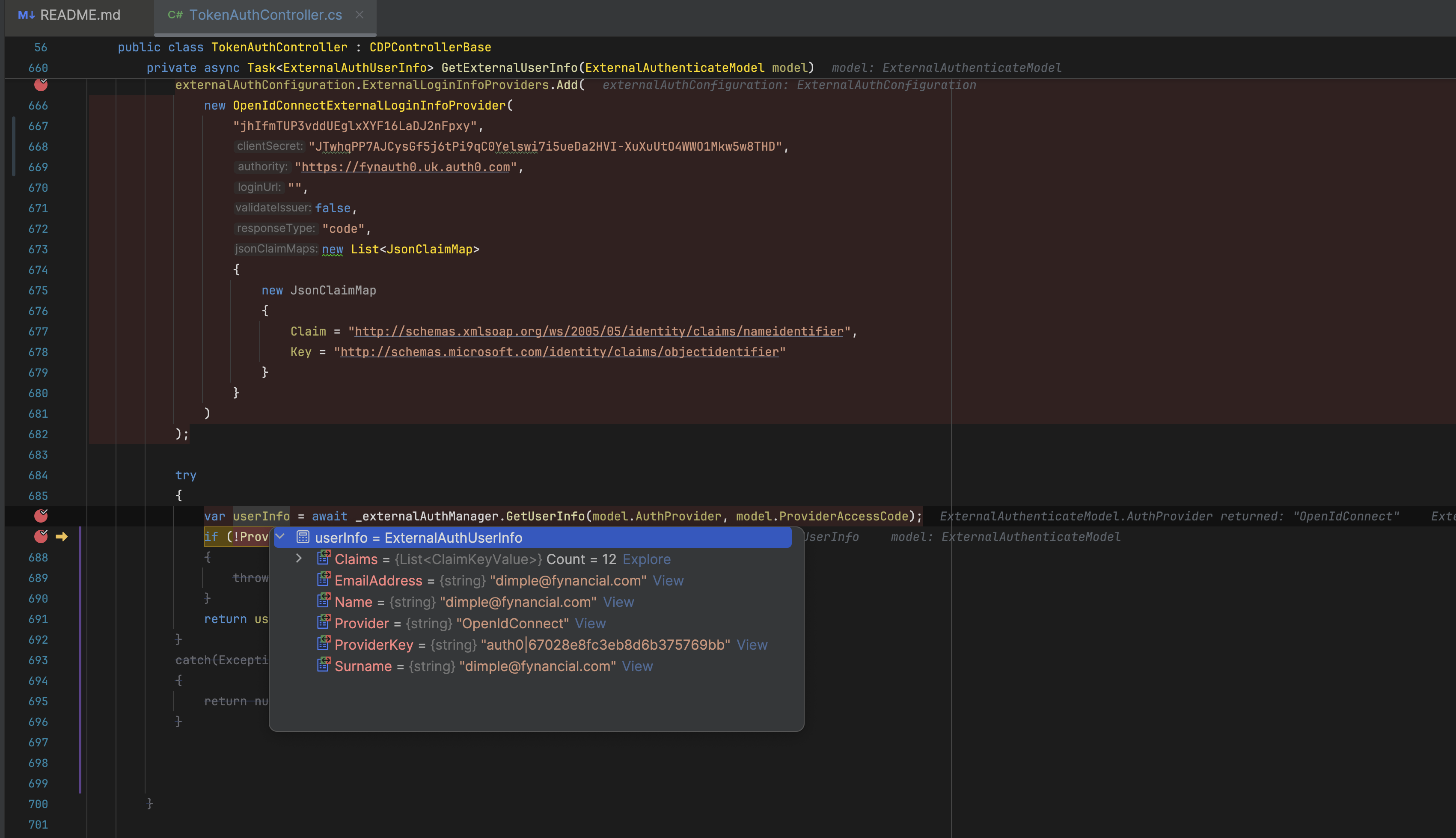 Markdown is supportedCopy & paste or drag & drop images (max 30 MB per image)
 -
0
hi
https://github.com/maliming/CDP-Base-Zero-13.0.0/blob/master/src/CDP.Web.Core/Controllers/TokenAuthController.cs#L660-L700
You have passed bearer token in the authorization, whose token it is?
Markdown is supportedCopy & paste or drag & drop images (max 30 MB per image) -
0
hi
There is no bearer token in the request header.
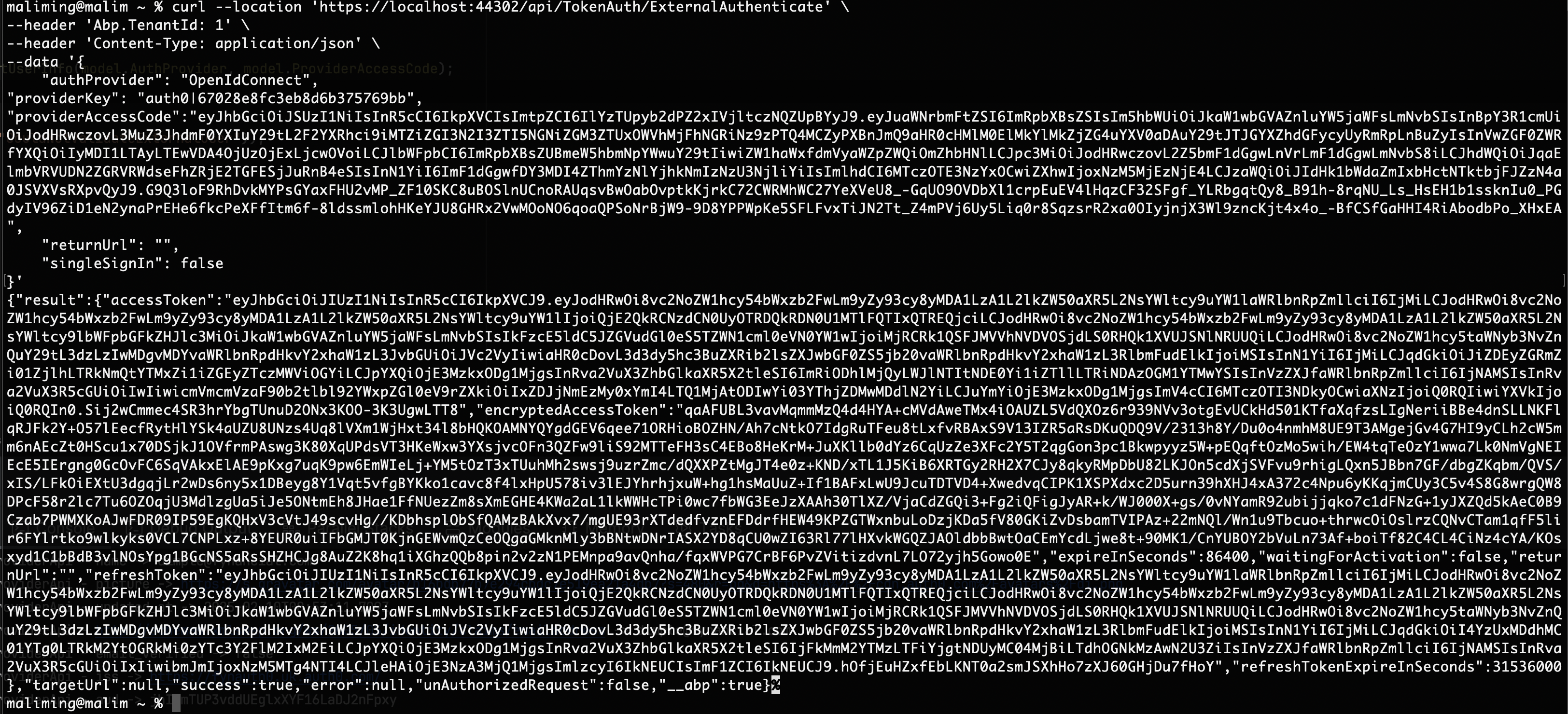 Markdown is supportedCopy & paste or drag & drop images (max 30 MB per image)
 -
0
hi
There is no bearer token in the request header.
Got it.
In the base code my logout funcationality is working fine. But in my actual project it's not. The issue I am facing is I am getting external.Succeeded value as false.
public async Task<ActionResult> Logout(string returnUrl = "") {
var external = await HttpContext.AuthenticateAsync(IdentityConstants.ExternalScheme); if (!external.Succeeded) { return await AfterLogout(); }var authProperties = new AuthenticationProperties { RedirectUri = "/Account/AfterLogout?returnUrl=" + Uri.EscapeDataString(returnUrl) }; return new SignOutResult(OpenIdConnectDefaults.AuthenticationScheme, authProperties);}
So what changes do I need to make or verify so it can give me correct result?
Markdown is supportedCopy & paste or drag & drop images (max 30 MB per image) -
0
hi
The issue I am facing is I am getting external.Succeeded value as false.
Can you share your project code?
Or upload it to GitHub, then invite me to check?
https://github.com/maliming
Markdown is supportedCopy & paste or drag & drop images (max 30 MB per image) -
0
private async Task<ExternalAuthUserInfo> GetExternalUserInfo(ExternalAuthenticateModel model) { var externalAuthConfiguration = HttpContext.RequestServices.GetRequiredService<ExternalAuthConfiguration>(); externalAuthConfiguration.ExternalLoginInfoProviders.RemoveAll(p => p.Name == "OpenIdConnect"); externalAuthConfiguration.ExternalLoginInfoProviders.Add( new OpenIdConnectExternalLoginInfoProvider( "jhIfmTUP3vddUEglxXYF16LaDJ2nFpxy", "JTwhqPP7AJCysGf5j6tPi9qC0Yelswi7i5ueDa2HVI-XuXuUtO4WWO1Mkw5w8THD", "https://fynauth0.uk.auth0.com", "", false, "code", new List<JsonClaimMap> { new JsonClaimMap { Claim = "http://schemas.xmlsoap.org/ws/2005/05/identity/claims/nameidentifier", Key = "http://schemas.microsoft.com/identity/claims/objectidentifier" } } ) );
var userInfo = await _externalAuthManager.GetUserInfo(model.AuthProvider, model.ProviderAccessCode);
if (!ProviderKeysAreEqual(model, userInfo))
{
    throw new UserFriendlyException(L("CouldNotValidateExternalUser"));
}

return userInfo;
}
As you suggested the above for api to work, how will I get to know whether the id token is of okta or auth0 so accordingly I will set the keys?
Markdown is supportedCopy & paste or drag & drop images (max 30 MB per image) -
0
hi You can add a new property to
ExternalAuthenticateModelclass to indicate the auth0 or okta.Markdown is supportedCopy & paste or drag & drop images (max 30 MB per image) -
0
When you ask to add https://localhost:44302/signout-callback-oidc on the Allowed Logout URL's on the auth0 tenant settings, why I need to add at the tenant level. Why its not working by just adding at the application level. As the documentation says (https://auth0.com/docs/authenticate/login/logout) we can set at the application level as well.
The code on the logout function is public async Task<ActionResult> Logout(string returnUrl = "") { var scheme = "";
var external = await HttpContext.AuthenticateAsync(IdentityConstants.ExternalScheme);
if (!external.Succeeded)
{
    return await AfterLogout();
}
scheme = external.Properties.Items["zero_scheme"];
if(scheme=="okta")
{
    return await AfterLogout();
}

var authProperties = new AuthenticationProperties
{
    RedirectUri = "/Account/AfterLogout?returnUrl=" + Uri.EscapeDataString(returnUrl)
};

return new SignOutResult(OpenIdConnectDefaults.AuthenticationScheme, authProperties);
}
Markdown is supportedCopy & paste or drag & drop images (max 30 MB per image) -
0
hi
why I need to add at the tenant level. Why its not working by just adding at the application level.
This is an auth0 problem, I have no ideas.
Markdown is supportedCopy & paste or drag & drop images (max 30 MB per image) -
0
hi
why I need to add at the tenant level. Why its not working by just adding at the application level.
This is an auth0 problem, I have no ideas.
Auth0 says if you pass the client id while logout then you can setup at application level, but if you don't pass client id you will require to set at tenant level
Markdown is supportedCopy & paste or drag & drop images (max 30 MB per image) -
0
hi
Auth0 says if you pass the client id while logout then you can setup at application level, but if you don't pass client id you will require to set at tenant level
You can add your client id during logout.
options.Events.OnRedirectToIdentityProviderForSignOut = context => { if (context.ProtocolMessage.IssuerAddress.Contains("auth0")) { context.ProtocolMessage.ClientId = "ZTl49s6ZXt535L5SqbfoOk0gYpu8njAQ"; } return Task.FromResult(0); };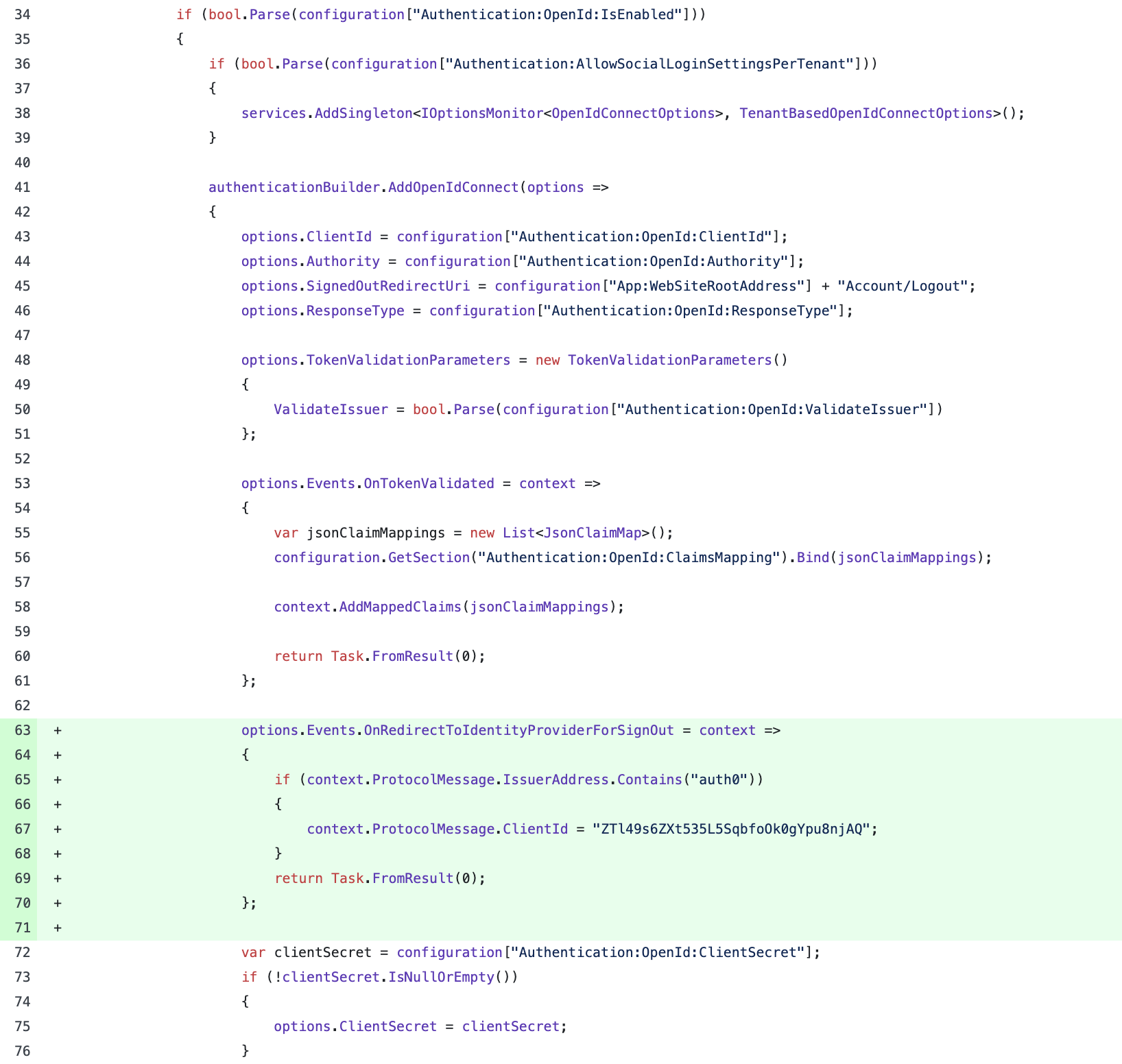 Markdown is supportedCopy & paste or drag & drop images (max 30 MB per image)
 -
0
When I am running on localhost its working fine. But when I am redirect to auth0 or okta on server I don't why its redirecting to http://fynauth0.fyntst.com/signin-oidc i.e. why http not https? Inspite I have set the below code options.Events.OnRedirectToIdentityProvider = context => { context.ProtocolMessage.RedirectUri = $"https://{context.Request.Host}/signin-oidc"; return Task.CompletedTask; };
Markdown is supportedCopy & paste or drag & drop images (max 30 MB per image) -
0
hi
Can you add code to reproduce the problem in https://github.com/maliming/CDP-Base-Zero-13.0.0
Markdown is supportedCopy & paste or drag & drop images (max 30 MB per image) -
0
hi
Can you add code to reproduce the problem in https://github.com/maliming/CDP-Base-Zero-13.0.0
Done. Please check. Also if I add the http://fynauth0.fyntst.com/signin-oidc in the redirect URI then after login its giving me Message State is null or empty even though I have added your code. https://github.com/maliming/CDP-Base-Zero-13.0.0/commit/b12051c1a1e996d8a646943c594dd98ba1eef508
Markdown is supportedCopy & paste or drag & drop images (max 30 MB per image) -
0
hi
Please also share a username and password of
https://fynauth0.uk.auth0.com/You can create a new account of [email protected]
Markdown is supportedCopy & paste or drag & drop images (max 30 MB per image) -
0
I have shared credential over email. Will you be hosting this on a server. FYI - our application is running on linux server over nginx
Markdown is supportedCopy & paste or drag & drop images (max 30 MB per image) -
0
hi
FYI - our application is running on linux server over nginx
You can add a middleware code.
https://github.com/maliming/CDP-Base-Zero-13.0.0/commit/5152c06f8459c96cbd2b416f02fc910a22a80843
app.Use((ctx, next) =>
{
    ctx.Request.Scheme = "https";
    return next();
});
Markdown is supportedCopy & paste or drag & drop images (max 30 MB per image) -
0
hi
FYI - our application is running on linux server over nginx
You can add a middleware code.
https://github.com/maliming/CDP-Base-Zero-13.0.0/commit/5152c06f8459c96cbd2b416f02fc910a22a80843
app.Use((ctx, next) =>
{
    ctx.Request.Scheme = "https";
    return next();
});
Ok. But when I am using the base code and add that https redirect code in auth configure it works, but not with the custom code in MyOpenIdChallengeResult.cs why is it so? Also right now internally on nginx our application runs on http will the fix shared by you will disturb this setting?
Markdown is supportedCopy & paste or drag & drop images (max 30 MB per image) -
0
hi
But when I am using the base code and add that https redirect code in auth configure it works, but not with the custom code in MyOpenIdChallengeResult.cs why is it so?
I don't understand what you mean.
What is your current code for
MyOpenIdChallengeResult?What do you mean not work?
Also right now internally on nginx our application runs on http will the fix shared by you will disturb this setting?
No.
Markdown is supportedCopy & paste or drag & drop images (max 30 MB per image) -
0
One issue I am facing randomly using the custom code is, I login with a tenant with auth0 provider and in the same browser I login with different tenant with auth0 provider but with different set of keys. Then I logout the first tenant it redirected to the wrong auth0 domain but the redirect URL in the URL is correct.
And sometimes on logout, it is actually not making me logout from auth0. Below is my logout code. Also randomly we are facing issue on login when its redirecting to https://yk200.fynuat.com/signin-oidc. The error I am receiving in the logs for this is ERROR 2025-04-02 06:32:40,891 [64 ] ation.OpenIdConnect.OpenIdConnectHandler - Message contains error: 'invalid_grant', error_description: 'Invalid authorization code', error_uri: 'error_uri is null', status code '403'.
public async Task<ActionResult> Logout(string returnUrl = "")
{
    var scheme = "";

    var external = await HttpContext.AuthenticateAsync(IdentityConstants.ExternalScheme);
    if (!external.Succeeded)
    {
        return await AfterLogout();
    }
    scheme = external.Properties.Items["zero_scheme"];
    if(scheme=="okta")
    {
        return await AfterLogout();
    }

    var authProperties = new AuthenticationProperties
    {
        RedirectUri = "/Account/AfterLogout?returnUrl=" + Uri.EscapeDataString(returnUrl)
    };

    return new SignOutResult(OpenIdConnectDefaults.AuthenticationScheme, authProperties);

}


public async Task<ActionResult> AfterLogout(string returnUrl = "")
{
    await _signInManager.SignOutAsync();
    var userIdentifier = AbpSession.ToUserIdentifier();

    if (userIdentifier != null &&
        _settingManager.GetSettingValue<bool>(AppSettings.UserManagement.AllowOneConcurrentLoginPerUser))
    {
        var user = await _userManager.GetUserAsync(userIdentifier);
        await _userManager.UpdateSecurityStampAsync(user);
    }

    if (!string.IsNullOrEmpty(returnUrl))
    {
        returnUrl = NormalizeReturnUrl(returnUrl);
        return Redirect(returnUrl);
    }

    return RedirectToAction("Login");
}
Markdown is supportedCopy & paste or drag & drop images (max 30 MB per image) -
0
hi
I login with a tenant with auth0 provider and in the same browser I login with different tenant with auth0 provider but with different set of keys. Then I logout the first tenant it redirected to the wrong auth0 domain but the redirect URL in the URL is correct.
What is your app domain?
Is it
localhost?Markdown is supportedCopy & paste or drag & drop images (max 30 MB per image) -
0
hi
I login with a tenant with auth0 provider and in the same browser I login with different tenant with auth0 provider but with different set of keys. Then I logout the first tenant it redirected to the wrong auth0 domain but the redirect URL in the URL is correct.
What is your app domain?
Is it
localhost?No it's not localhost, it's my application domain. It's https://[subdomain].fynuat.com
Look below is the url its redirecting to on logout button https://migrationlegacy.us.auth0.com/oidc/logout?post_logout_redirect_uri=https%3A%2F%2Fyk200.fynuat.com%2Fsignout-callback-oidc&client_id=9naPa8jYHsj521uML82TJXXT3lJSyuDq&state=CfDJ8H6zcQn6iRNFqr3e5L-a1vPB0ZxM1C3988shPs3QZT6ikuMFZWcEY4MuARwvZzBxz4rANpHBdXyRytoXecECDEXDzRQP4qebAFFoWMwo1-fN1VZ984QaPbHST84og2NeWuZQM4a9UZzBH0UP03EKnJKDDYgoltJNtZd_X05KSCvjzK0IeLjJX1tN54HuOPmGsw&x-client-SKU=ID_NET8_0&x-client-ver=7.1.2.0
Where my auth0 domain should be https://yk200.us.auth0.com. Also my client_id is wrong, it's of other tenant I am logged in into.
Markdown is supportedCopy & paste or drag & drop images (max 30 MB per image)
