
Scrollbar is missing in the left menu.

14 Answer(s)
-
0
hi,
The vertical horizontal scroll is shown whenever you hover the menu. See the demo page
 Markdown is supportedCopy & paste or drag & drop images (max 30 MB per image)
 -
0
Below are the two images i am using the 6.1 version the scroll bar does not show up.
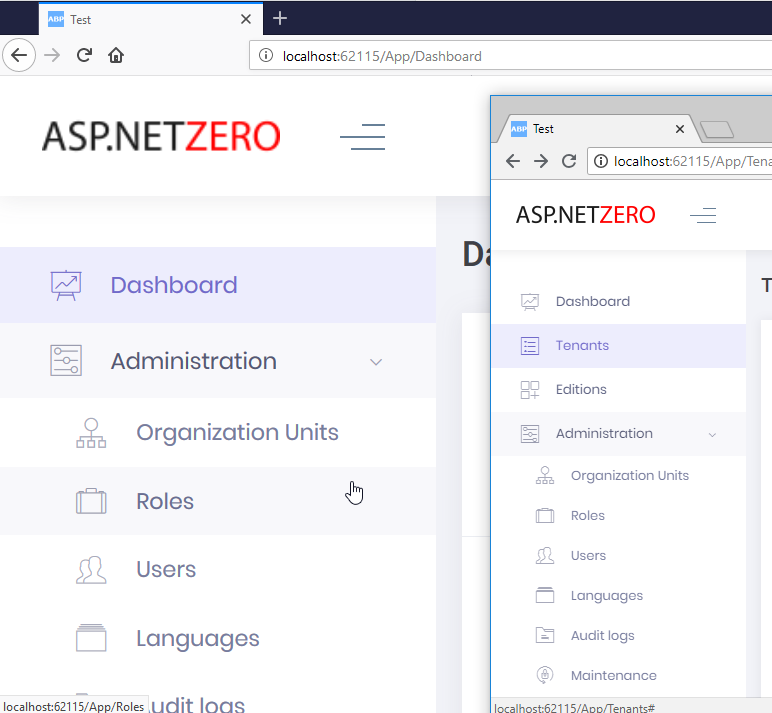
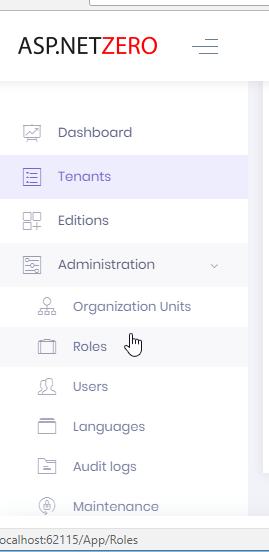 Markdown is supportedCopy & paste or drag & drop images (max 30 MB per image)
 -
0
We have the same problem. We use ASP CORE + jquery MVC
Markdown is supportedCopy & paste or drag & drop images (max 30 MB per image) -
0
Same here ASP NET Core + JQuery MVC
Markdown is supportedCopy & paste or drag & drop images (max 30 MB per image) -
0
This should fix it https://github.com/aspnetzero/aspnet-zero-core/commit/e26e444832040e08b3ac19c9c0d08b7b72e97224. Could you try that ?
Markdown is supportedCopy & paste or drag & drop images (max 30 MB per image) -
0
I am missing path to the Layout. I dont have default subfolder. Below is my path. and the code in the layout is as showin in the screen shot. Am i missing something?
MyCompanyName.AbpZeroTemplate.Web.Mvc/Areas/AppAreaName/Views/Layout/_Layout.cshtml
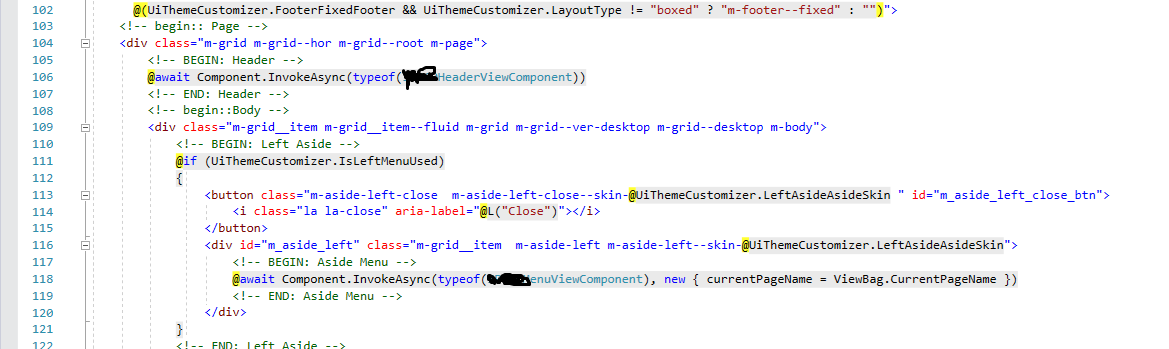
MyCompanyName.AbpZeroTemplate.Web.Mvc/Areas/AppAreaName/Views/Layout/Default/_Layout.cshtml
Markdown is supportedCopy & paste or drag & drop images (max 30 MB per image) -
0
Any update on this?
Markdown is supportedCopy & paste or drag & drop images (max 30 MB per image) -
0
You Just need to add id="m_header" to header html item.
Markdown is supportedCopy & paste or drag & drop images (max 30 MB per image) -
0
I get that from the commit. Bu there is no header element in the Layout.cshtml. Is it some where else?
Markdown is supportedCopy & paste or drag & drop images (max 30 MB per image) -
0
Ok i found header here
MyCompanyName.AbpZeroTemplate.Web.Mvc/Areas/AppAreaName/Views/Shared/Component/AppHeader/Default.cshtml
and i added id and it did not work.
Markdown is supportedCopy & paste or drag & drop images (max 30 MB per image) -
0
Any update
Markdown is supportedCopy & paste or drag & drop images (max 30 MB per image) -
0
Upgrading to latest version should fix the problem, see https://github.com/aspnetzero/aspnet-zero-core/issues/1821#issuecomment-434351476.
So, you can compare your files with the latest version. If you can't solve the problem, please share your project with us and we will check it for you.
Markdown is supportedCopy & paste or drag & drop images (max 30 MB per image) -
0
Please reopen if you haven't solved this problem.
Markdown is supportedCopy & paste or drag & drop images (max 30 MB per image) -
0
@ISMCAGDAS,
You guys have refractored all of them UICustomization. https://github.com/aspnetzero/aspnet-zero-core/commit/8dbcb3d9c68025ee0172a949cff7347ce2e965c2
what is the best way to upgrade to new version? I cannot find any docuementation.
If this is time consuming process. I request you to release the fix for just the side bar.
Markdown is supportedCopy & paste or drag & drop images (max 30 MB per image)


