
Implementing the RequiresFeature attribute on either an MVC controller or Application Service class or method throws a 500 Internal Server Error when the current user doesn't have the required feature, rather than throwing an AbpAuthorizationException, as the ABP documentation states that it should:
This method is executed only if the "ExportToExcel" feature is enabled for the current tenant (current tenant is obtained from IAbpSession). If it's not enabled, an AbpAuthorizationException is thrown automatically.
I've implemented the RequiresFeature attribute in the same way as shown by the documentation:
Abp Implementation
[RequiresFeature("ExportToExcel")] public async Task<FileDto> GetReportToExcel(...) { ... }
My Implementation
[RequiresFeature("App.RoleManagement")] public async Task<GetRoleForEditOutput> GetRoleForEdit(...) { ... }
9 Answer(s)
-
0
What is your Zero version? Is Net MVC or Core?
Markdown is supportedCopy & paste or drag & drop images (max 30 MB per image) -
0
Hi, does the error happen when you logged in as Host user? if so, see https://support.aspnetzero.com/QA/Questions/6200
Markdown is supportedCopy & paste or drag & drop images (max 30 MB per image) -
0
Hi @Maliming
We're running .Net Core v6.3.0
Markdown is supportedCopy & paste or drag & drop images (max 30 MB per image) -
0
Hi @ryancyq
It happens when logged in as a host user, which is explained by the thread in the link you shared, but unfortunately, it's happening for tenant users as well, which is why I raised this question.
Markdown is supportedCopy & paste or drag & drop images (max 30 MB per image) -
0
Please share the error stack trace when logged in as tenant user.
Markdown is supportedCopy & paste or drag & drop images (max 30 MB per image) -
0
Hi @ryancyq
In going back to get the stack trace, something has changed and in the debug console it now shows a 401 Unauthorised being returned, instead of the 500 it was before.
Something I still note is that when the 401 is thrown due to failed feature check (on tenant) this is displayed to the user:
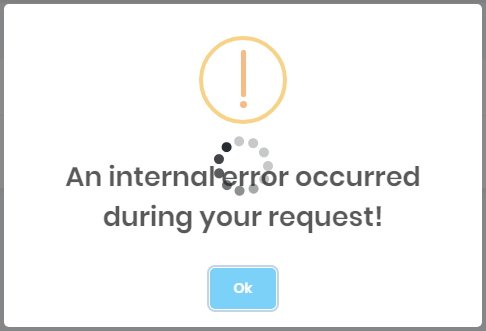
and the blockUI crashes as well, requiring a page refresh to carry on. The above message is not self-explanitory, but no other information can be gathered, as the audit log doesn't show any error to have occured.
If one manually throws an AbpAuthorizationException, then it can come up like so:
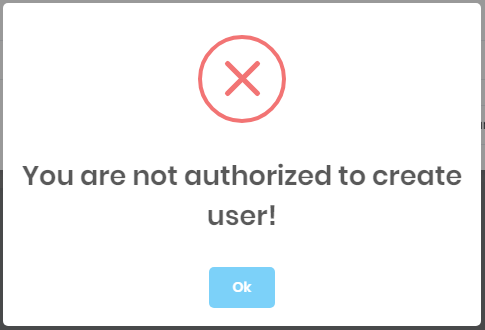
Can the same be done when errors are thrown by the feature checker?
Markdown is supportedCopy & paste or drag & drop images (max 30 MB per image) -
0
@davidharrison
Have you figured out a solution ?
Markdown is supportedCopy & paste or drag & drop images (max 30 MB per image) -
0
@ismcsgdas no I haven't - the behaviour isn't consistent, and isn't handled gracefully one way or another (either crashing completely as a 500 error or as the 401 that breaks the BlockUI and provides no details)
Markdown is supportedCopy & paste or drag & drop images (max 30 MB per image) -
0
Perhaps you can provide the error stack trace log for those 500 http errors? So that we can suggest accordingly.
Markdown is supportedCopy & paste or drag & drop images (max 30 MB per image)


