
Hello Support Team,
Find the Angular code from here : removed for security concerns by alper
After Download code I performed below step to configure the angular app.
- Open In the visual code
- In Terminal Run the command -- > yarn to install the Node_modules
- After successfully install the Node_modules then run this command npm start
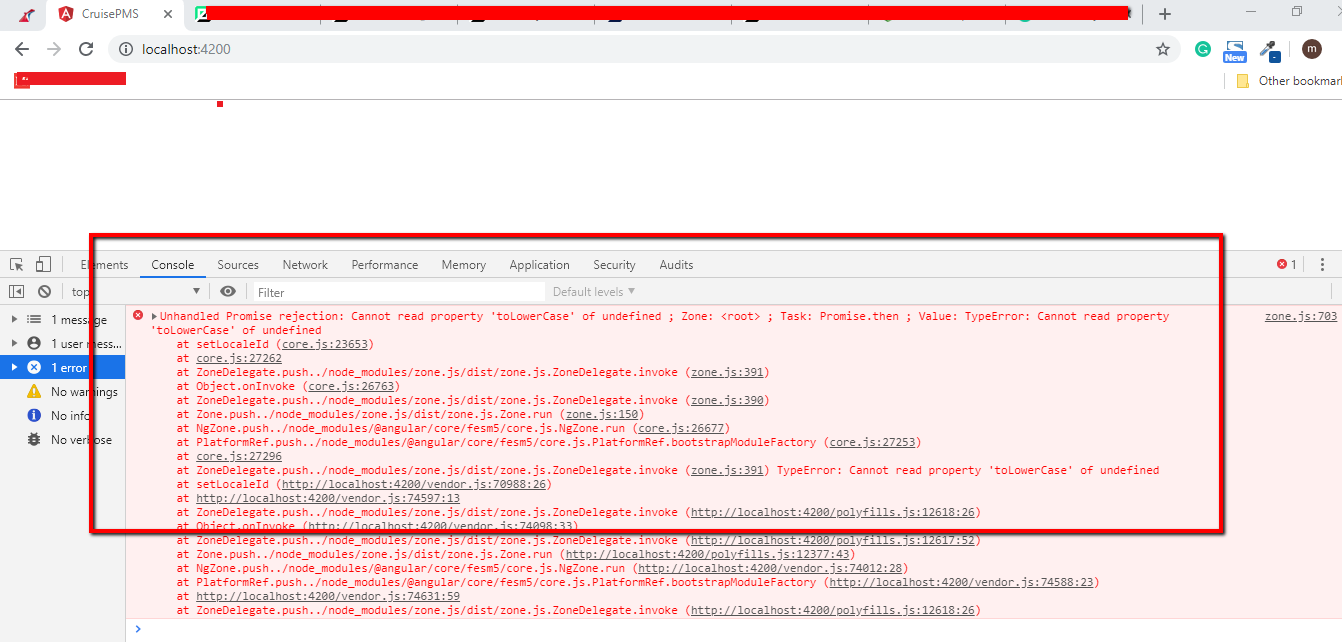
- When run the localhost url in browser http://localhost:4200/ getting errors in browser console like
Unhandled Promise rejection: Cannot read property 'toLowerCase' of undefined ; Zone: <root> ; Task: Promise.then ; Value: TypeError: Cannot read property 'toLowerCase' of undefined
    at setLocaleId (core.js:23653)
    at core.js:27262
    at ZoneDelegate.push../node_modules/zone.js/dist/zone.js.ZoneDelegate.invoke (zone.js:391)
    at Object.onInvoke (core.js:26763)
    at ZoneDelegate.push../node_modules/zone.js/dist/zone.js.ZoneDelegate.invoke (zone.js:390)
    at Zone.push../node_modules/zone.js/dist/zone.js.Zone.run (zone.js:150)
    at NgZone.push../node_modules/@angular/core/fesm5/core.js.NgZone.run (core.js:26677)
    at PlatformRef.push../node_modules/@angular/core/fesm5/core.js.PlatformRef.bootstrapModuleFactory (core.js:27253)
    at core.js:27296
    at ZoneDelegate.push../node_modules/zone.js/dist/zone.js.ZoneDelegate.invoke (zone.js:391) TypeError: Cannot read property 'toLowerCase' of undefined
    at setLocaleId (http://localhost:4200/vendor.js:70988:26)
    at http://localhost:4200/vendor.js:74597:13
    at ZoneDelegate.push../node_modules/zone.js/dist/zone.js.ZoneDelegate.invoke (http://localhost:4200/polyfills.js:12618:26)
    at Object.onInvoke (http://localhost:4200/vendor.js:74098:33)
    at ZoneDelegate.push../node_modules/zone.js/dist/zone.js.ZoneDelegate.invoke (http://localhost:4200/polyfills.js:12617:52)
    at Zone.push../node_modules/zone.js/dist/zone.js.Zone.run (http://localhost:4200/polyfills.js:12377:43)
    at NgZone.push../node_modules/@angular/core/fesm5/core.js.NgZone.run (http://localhost:4200/vendor.js:74012:28)
    at PlatformRef.push../node_modules/@angular/core/fesm5/core.js.PlatformRef.bootstrapModuleFactory (http://localhost:4200/vendor.js:74588:23)
    at http://localhost:4200/vendor.js:74631:59
    at ZoneDelegate.push../node_modules/zone.js/dist/zone.js.ZoneDelegate.invoke (http://localhost:4200/polyfills.js:12618:26)
Error screenshot Please review & help to resolve this error ASAP.
33 Answer(s)
-
0
please see:https://github.com/aspnetzero/aspnet-zero-core/issues/2451
Markdown is supportedCopy & paste or drag & drop images (max 30 MB per image) -
0
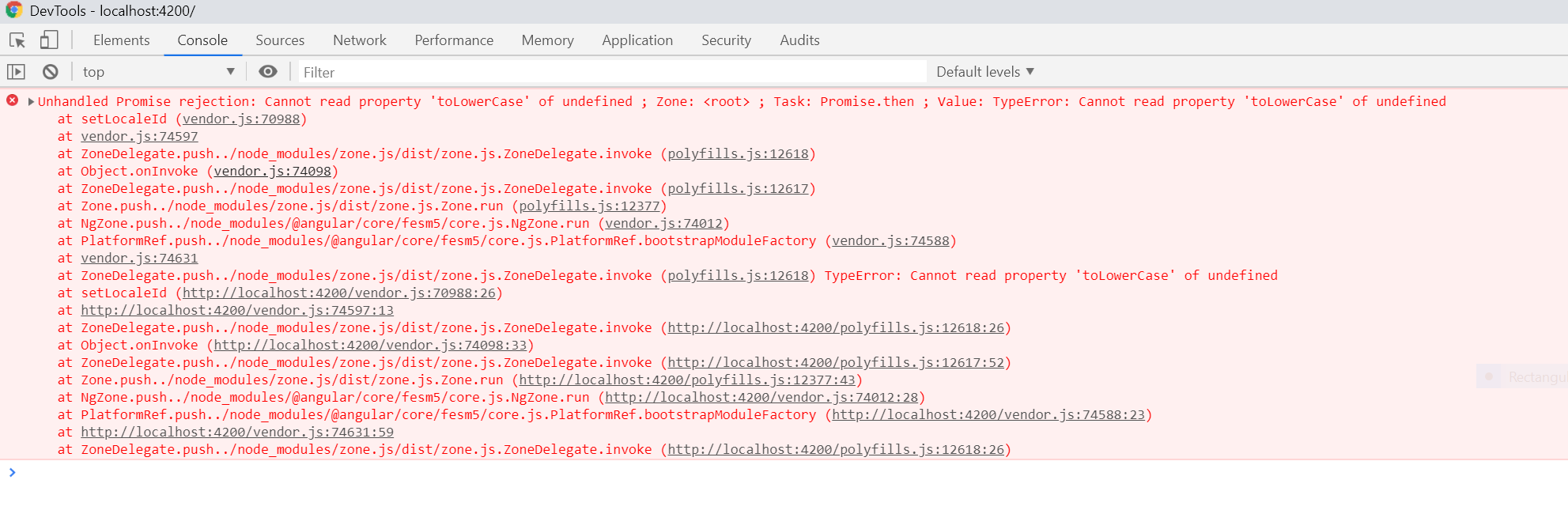
I have the same issue with the latest release; I changed root.module.ts as in commit 1155350 and still the same issue. Pls check...
 Markdown is supportedCopy & paste or drag & drop images (max 30 MB per image)
 -
0
I will check it again.
Markdown is supportedCopy & paste or drag & drop images (max 30 MB per image) -
1
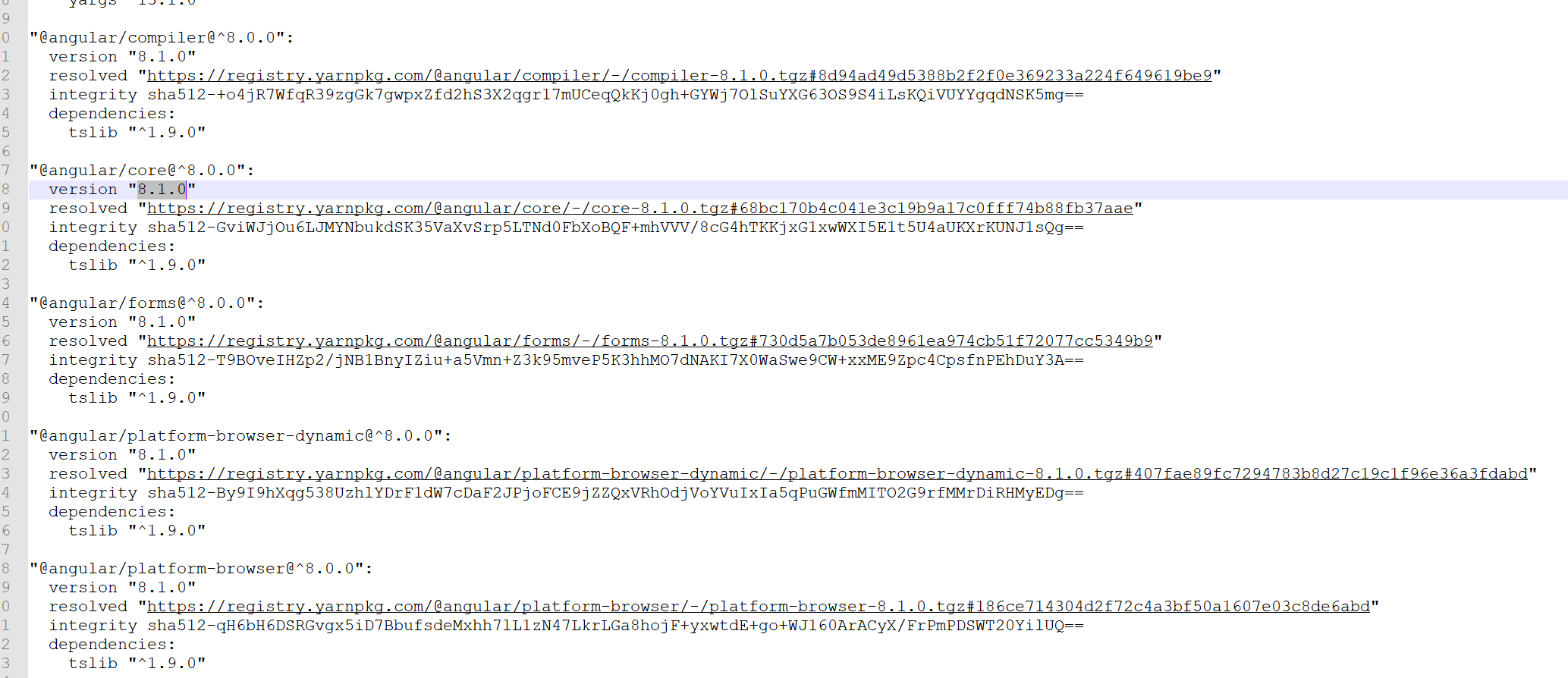
You should use the 8.0.0 version of angular. But in yarn, I don't know why you are using angular 8.1.0.
 Markdown is supportedCopy & paste or drag & drop images (max 30 MB per image)
 -
1
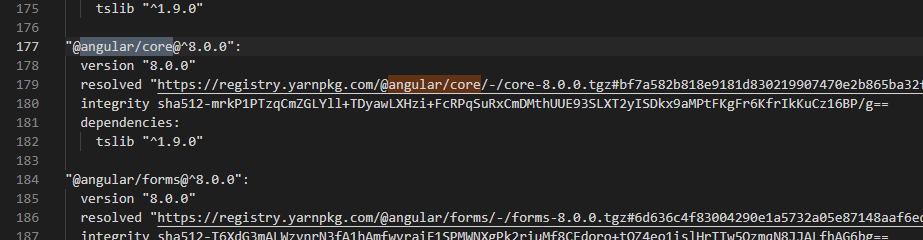
hi, What's your Angular version? The original AspNet Zero uses v8.0. See https://github.com/aspnetzero/aspnet-zero-core/blob/dev/angular/yarn.lock#L177 If you delete
yarn.lockit may update to v8.1, so restore it from the repository.Markdown is supportedCopy & paste or drag & drop images (max 30 MB per image) -
0
Hi,
I have downgrade the Angular version to 8.0.0 and I had deleted this yarn.lock and try with the yarn and still getting the same error .
Markdown is supportedCopy & paste or drag & drop images (max 30 MB per image) -
0
I have the same problem. Any fix?
Markdown is supportedCopy & paste or drag & drop images (max 30 MB per image) -
0
Please stay on Angular 8 until we find a way to solve this problem. I think this happens if you upgrade to Angular 8.1. if you install dependencies using yarn, it should work.
If you delete yarn.lock it may update to v8.1, so restore it from the repository.
Markdown is supportedCopy & paste or drag & drop images (max 30 MB per image) -
0
Hi, have done all the possibilities which you(@Maliming) define above to resolve the error and also downgrade to the V8.0.0.. But didn't get any success. Any update ?
Markdown is supportedCopy & paste or drag & drop images (max 30 MB per image) -
0
Can you share a project that was downgraded to angular 8.0?
Markdown is supportedCopy & paste or drag & drop images (max 30 MB per image) -
0
@maliming I have mailed you please check ...
Markdown is supportedCopy & paste or drag & drop images (max 30 MB per image) -
0
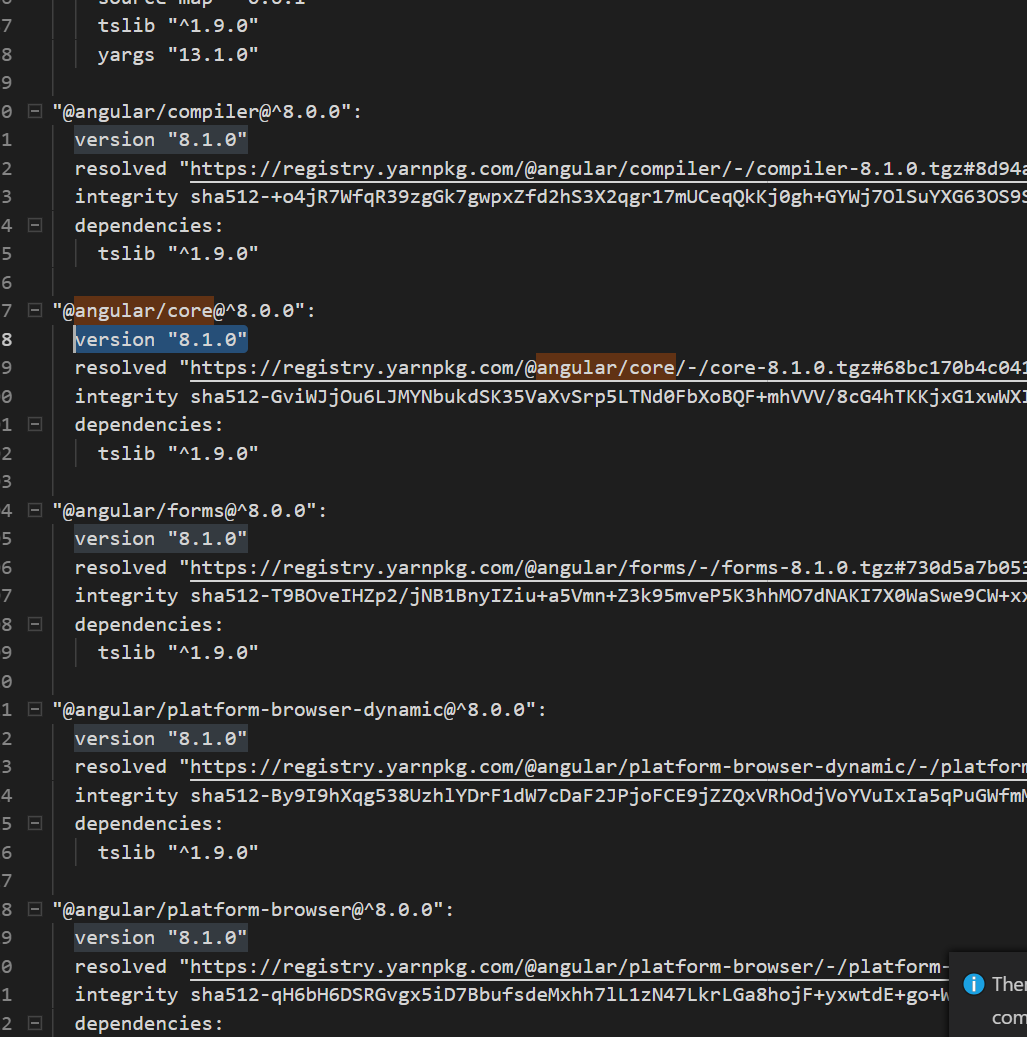
hi The project you sent me is still not downgraded to angular8.0. The original AspNet Zero uses v8.0. See https://github.com/aspnetzero/aspnet-zero-core/blob/dev/angular/yarn.lock#L177
 Markdown is supportedCopy & paste or drag & drop images (max 30 MB per image)
 -
0
Any update on this?
Markdown is supportedCopy & paste or drag & drop images (max 30 MB per image) -
0
Hi,
@maliming finds out that your project still uses Angular v8.1 Did you change that?
Markdown is supportedCopy & paste or drag & drop images (max 30 MB per image) -
0
No, my project is using 8.0
Markdown is supportedCopy & paste or drag & drop images (max 30 MB per image) -
0
No, my project is using 8.0
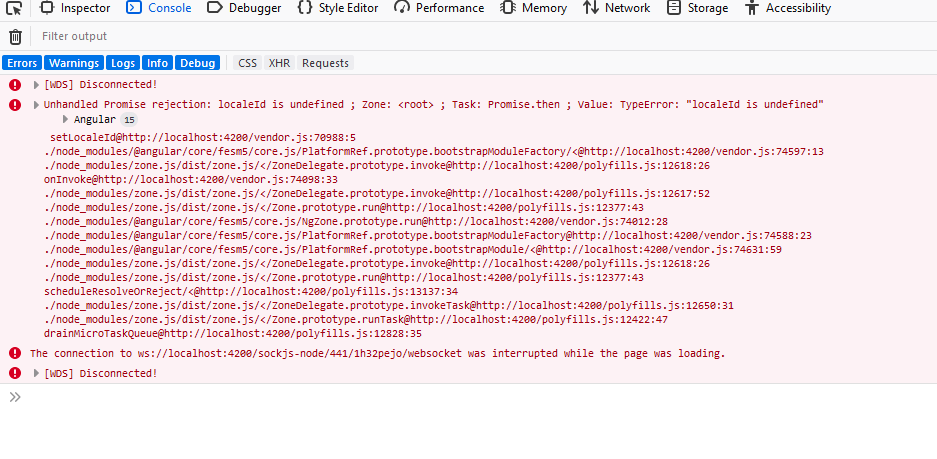
This is the error i am getting.
 Markdown is supportedCopy & paste or drag & drop images (max 30 MB per image)
 -
0
@jtallon Is it convenient to share your project code? [email protected]
Markdown is supportedCopy & paste or drag & drop images (max 30 MB per image) -
0
@jtallon's problem has been solved.
Markdown is supportedCopy & paste or drag & drop images (max 30 MB per image) -
0
👍
Markdown is supportedCopy & paste or drag & drop images (max 30 MB per image) -
0
@maliming
I haven't downgraded the project .. I just downgrade the Angular CLI to the 8.0.0. And you can see in the package JSON file its v8.0.0 is there. The error is not related to the version its shows that property has no to value so given error. you should troubleshoot that. :)
Thanks
Markdown is supportedCopy & paste or drag & drop images (max 30 MB per image) -
0
@maliming
If you resolved the issue then can you please send me the code on my email
Markdown is supportedCopy & paste or drag & drop images (max 30 MB per image) -
0
You need to downgrade the angular related package in
yarn.lockto 8.0 instead of angular cli.Markdown is supportedCopy & paste or drag & drop images (max 30 MB per image) -
0
@maliming problem has been solved Thanks !!
Markdown is supportedCopy & paste or drag & drop images (max 30 MB per image) -
0
@maliming thank you for the hint with downgrading to ng 8.0.x. It is working now for me. But this can't be the solution for the long run.
Could you please post into this thread once there is a solution for higher angular versions?
Markdown is supportedCopy & paste or drag & drop images (max 30 MB per image) -
0
@enio
You can follow this issue. https://github.com/aspnetzero/aspnet-zero-core/issues/2476
Markdown is supportedCopy & paste or drag & drop images (max 30 MB per image)


