
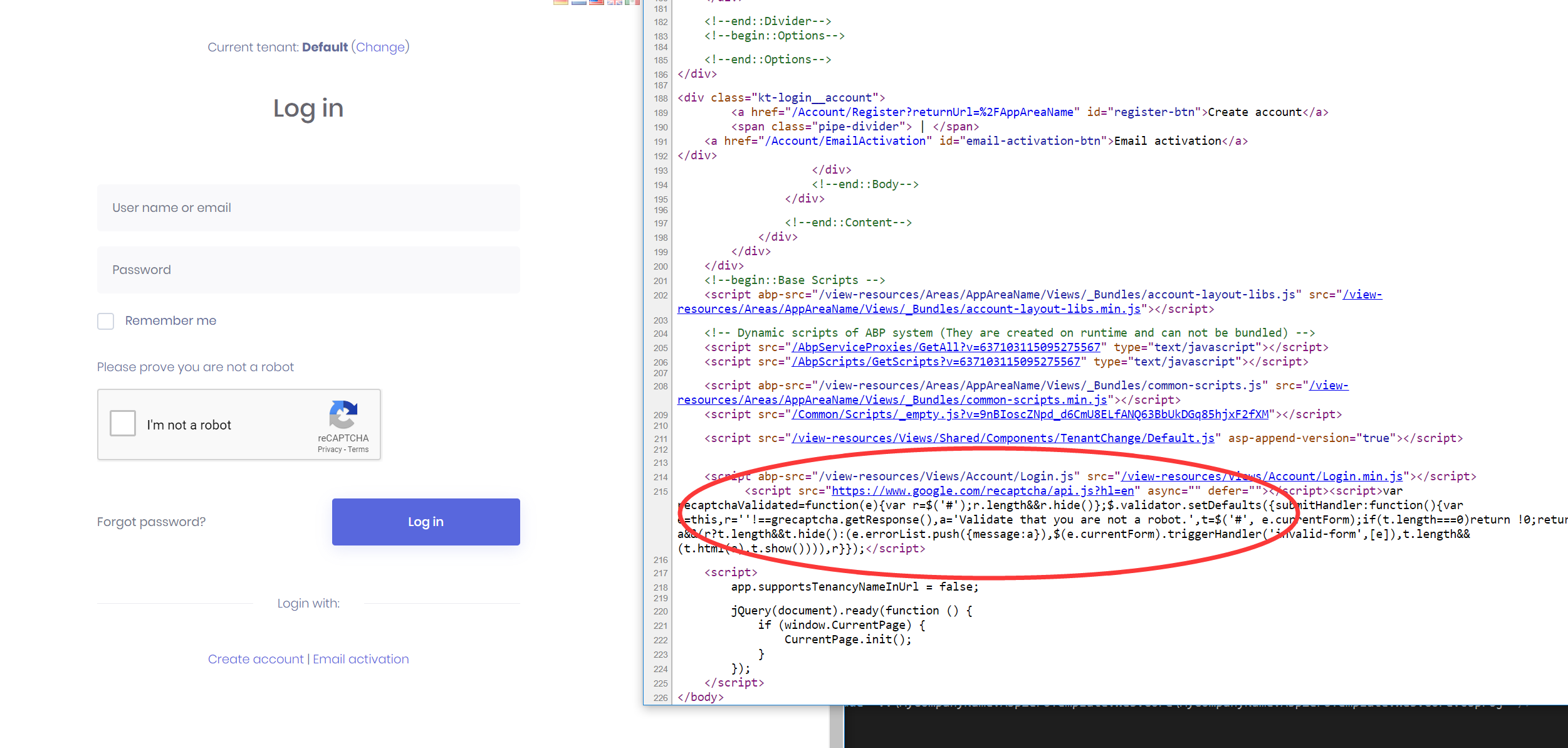
Seems like the script tag for reCAPTCHA on the login page no longer renders on the latest version.
In the browser the tag is not replaced.
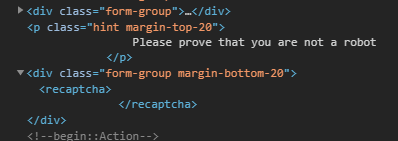
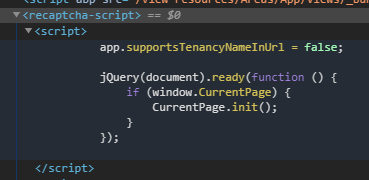
The faulty script tag also seems to wrap other script tags present in the layout.
26 Answer(s)
-
0
You can try the temporary fix code for this commit.
https://github.com/aspnetzero/aspnet-zero-core/commit/de9eb6a5bf39449f0e1292be2fee6b1492906c73
Markdown is supportedCopy & paste or drag & drop images (max 30 MB per image) -
0
Adding those files does not work and the tags remain after rendering.
Markdown is supportedCopy & paste or drag & drop images (max 30 MB per image) -
0
Adding those tag helpers actually made things significantly worse... before deleing them, the login page actually breaks now.
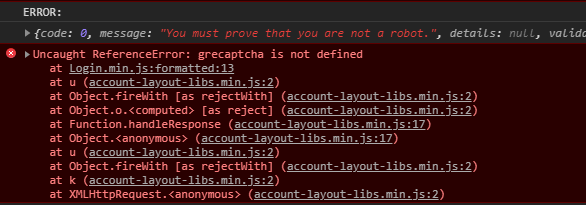
This happens as a result of trying to disable it on the UI and the setting is still on, need to script the setting back off, hard clear the caches (memory and Redis since you can't get in to clear it).
Markdown is supportedCopy & paste or drag & drop images (max 30 MB per image) -
0
I can't reproduce your problem, I can render recaptcha taghelper
https://github.com/aspnetzero/aspnet-zero-core/pull/2798
 Markdown is supportedCopy & paste or drag & drop images (max 30 MB per image)
 -
0
I can't reproduce your problem, I can render recaptcha taghelper
https://github.com/aspnetzero/aspnet-zero-core/pull/2798
Markdown is supportedCopy & paste or drag & drop images (max 30 MB per image) -
0
Doesn't solve my problem. My tags remain as if the helper is not getting run at all. I've looked at the pull request and also remove the tag helper import, what else do I need to do to have them run?
Markdown is supportedCopy & paste or drag & drop images (max 30 MB per image) -
0
hi @deventerprise
Can you share your project? I can check it for you. email:[email protected]
Markdown is supportedCopy & paste or drag & drop images (max 30 MB per image) -
0
Not going to be an option, too much IP involved and the client would never agree to that.
Recaptcha was working in v6 and v7, after updating to v8 it stopped rendering it. What other debugging options do I have around the tag helpers?
Going to dig into this more tomorrow since they want it back (on registration at least) and currently it's open season.
Markdown is supportedCopy & paste or drag & drop images (max 30 MB per image) -
0
hi deventerprise
You can clone the code of the dev branch of aspnet-zero-core to see if recaptcha works.
Markdown is supportedCopy & paste or drag & drop images (max 30 MB per image) -
0
I am currently developing the reCAPTCHA library that supports asp net core 3.0. If you are interested, you can try it.
https://github.com/aspnetzero/aspnet-zero-core/commit/fbf1a305f6981922a7a28ba8e4c805bb12ac3b3d https://github.com/maliming/reCAPTCHA
Markdown is supportedCopy & paste or drag & drop images (max 30 MB per image) -
0
Thanks @maliming, will give that a try sometime today.
For other projects I've used https://github.com/BitArmory/ReCaptcha which also works well in .NET Core 3.0. Was going to replace things with that to get around the problem.
Markdown is supportedCopy & paste or drag & drop images (max 30 MB per image) -
0
Hi @deventerprise
https://github.com/BitArmory/ReCaptcha seems fine. We can think to use it. By the way, did you solve the problem ?
Markdown is supportedCopy & paste or drag & drop images (max 30 MB per image) -
0
I haven't tried the latest changes unfortunately, been busy on another project. Will give it a try this week though and respond so don't close this ticket just yet...
Markdown is supportedCopy & paste or drag & drop images (max 30 MB per image) -
0
Ok, welcome your feedback.
Markdown is supportedCopy & paste or drag & drop images (max 30 MB per image) -
0
I downloaded a brand new ASPNET Core 3.0 MVC demo project as a new customer, got it running and went to register with the option to have recaptcha enabled. Doesnt show. Nor does Recaptcha on login. Here is a video that shows the issue:
Markdown is supportedCopy & paste or drag & drop images (max 30 MB per image) -
0
hi BridgespanDev
Have you tried the code in this commit?
https://github.com/aspnetzero/aspnet-zero-core/commit/de9eb6a5bf39449f0e1292be2fee6b1492906c73
Markdown is supportedCopy & paste or drag & drop images (max 30 MB per image) -
0
Is that commit not in the latest code? I literally downloaded the demo project yesterday.
Markdown is supportedCopy & paste or drag & drop images (max 30 MB per image) -
0
This commit will exist in v8.1. v8.1 has not been released.
Markdown is supportedCopy & paste or drag & drop images (max 30 MB per image) -
0
How do I pull just these files from the commit? Do I need to clone this repo first to get the fixes?
Markdown is supportedCopy & paste or drag & drop images (max 30 MB per image) -
0
hi @BridgespanDev
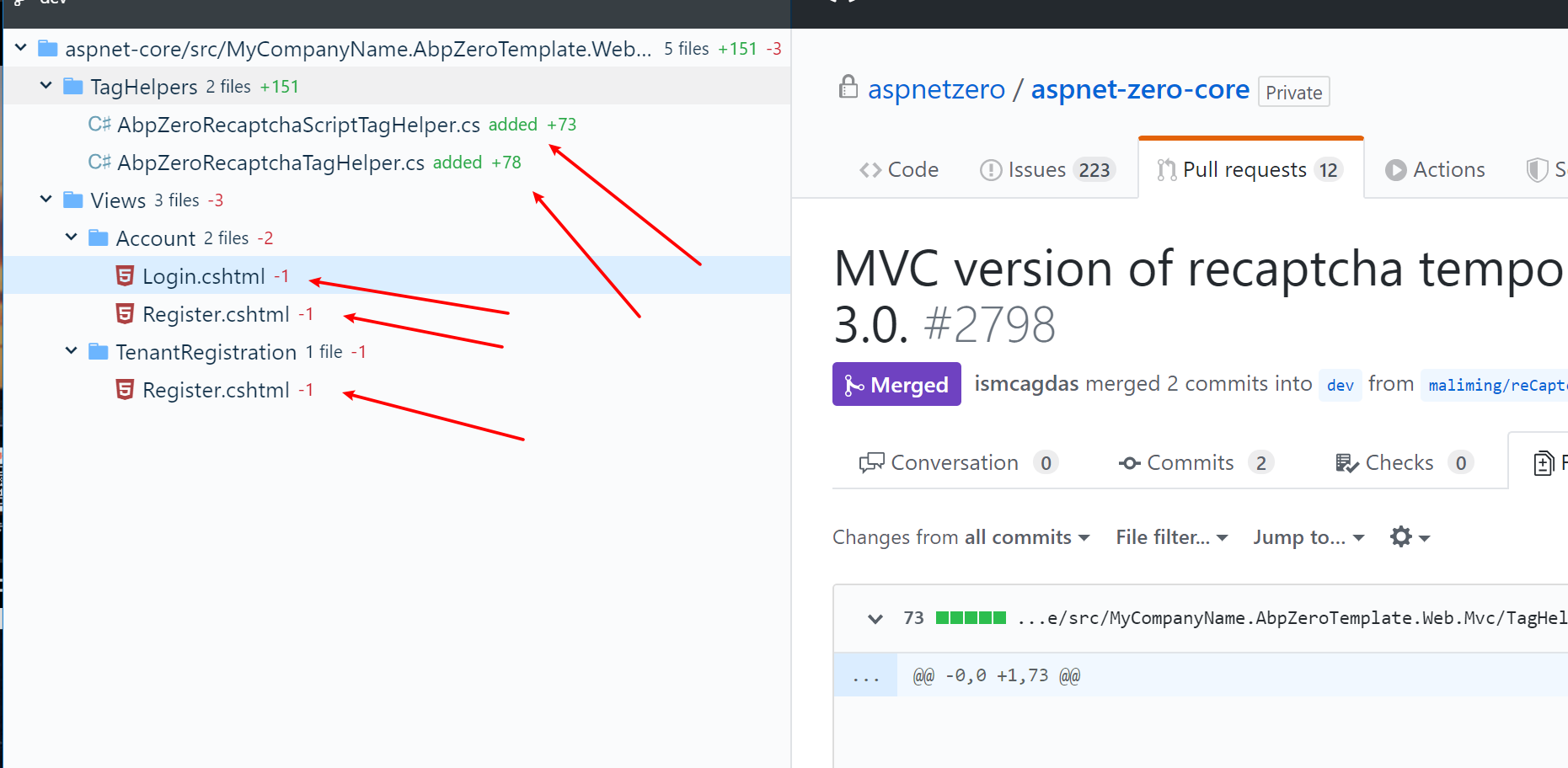
You can manually add/edit these files based on the content in PR. https://github.com/aspnetzero/aspnet-zero-core/pull/2798
 Markdown is supportedCopy & paste or drag & drop images (max 30 MB per image)
 -
0
Still doesn't work in v8.1 build.
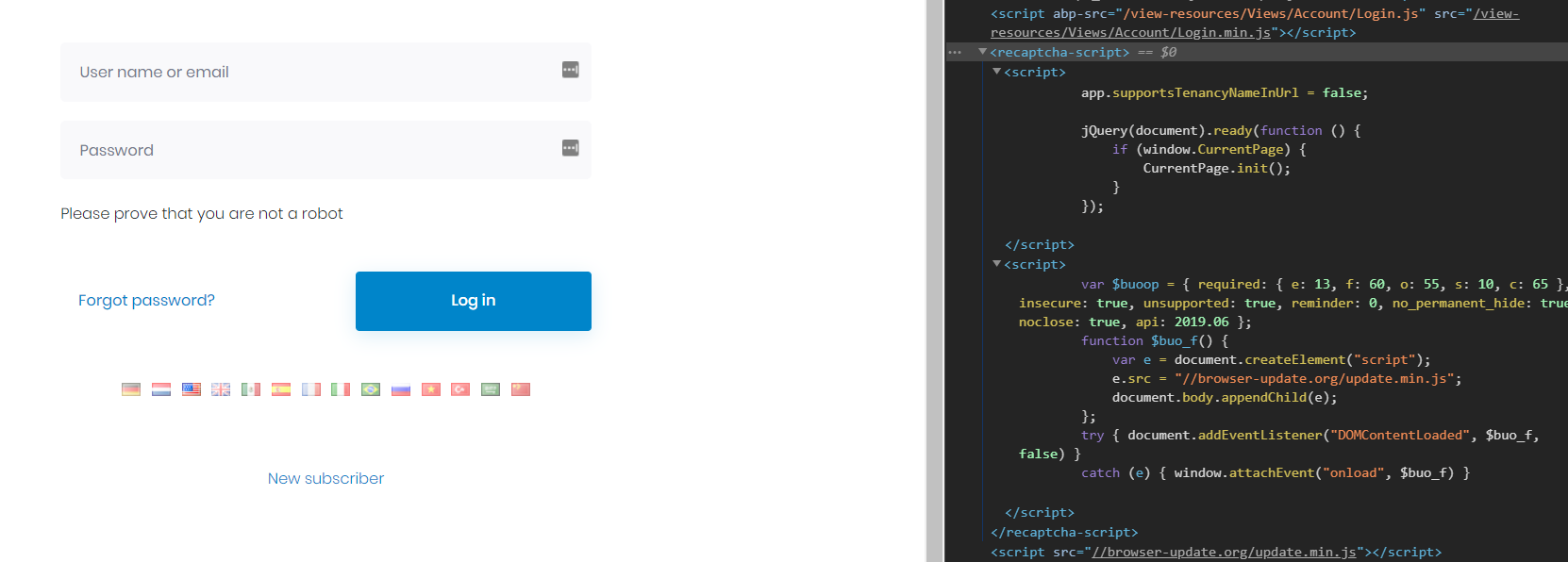
Just mangles the scripts section but doesn't actually inject the script:
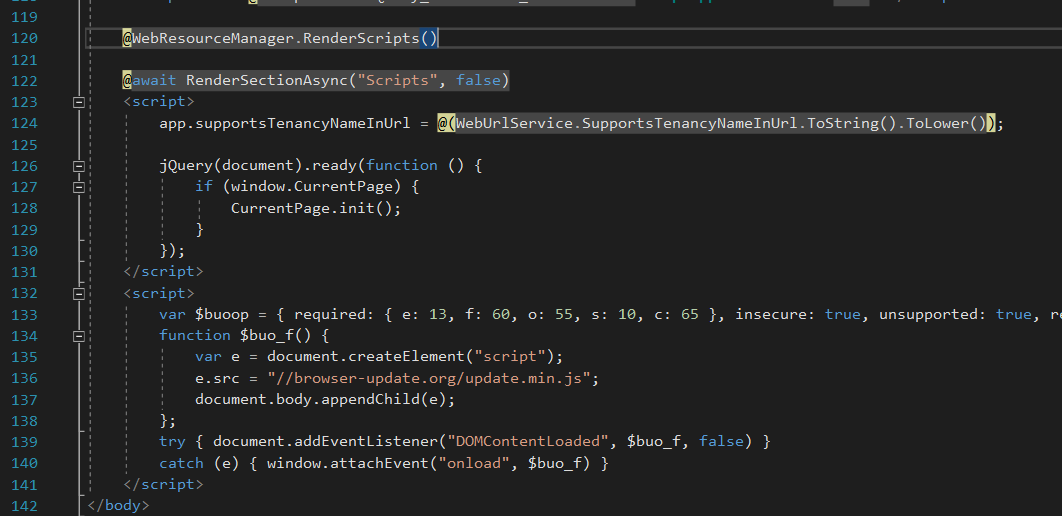
Nothing wrong with the layout script section:
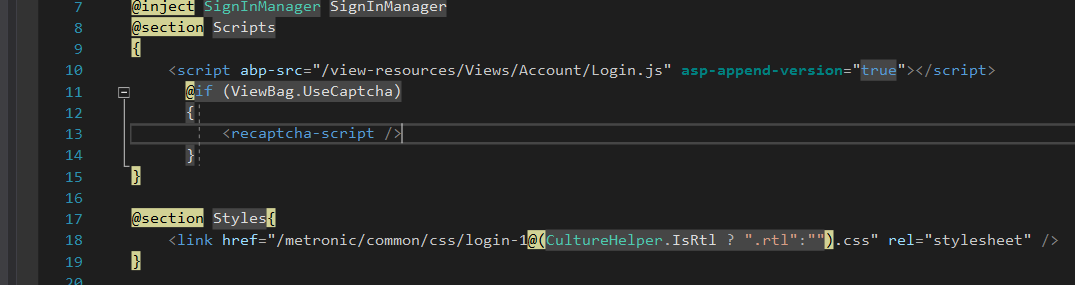
And the faulty tag on the login:
So yeah, pretty much going to rip this out and do it myself, can't seem to get the built-in recaptcha working at all no matter what I do...
Markdown is supportedCopy & paste or drag & drop images (max 30 MB per image) -
0
Just downloaded a brand new Demo project and everything works fine.
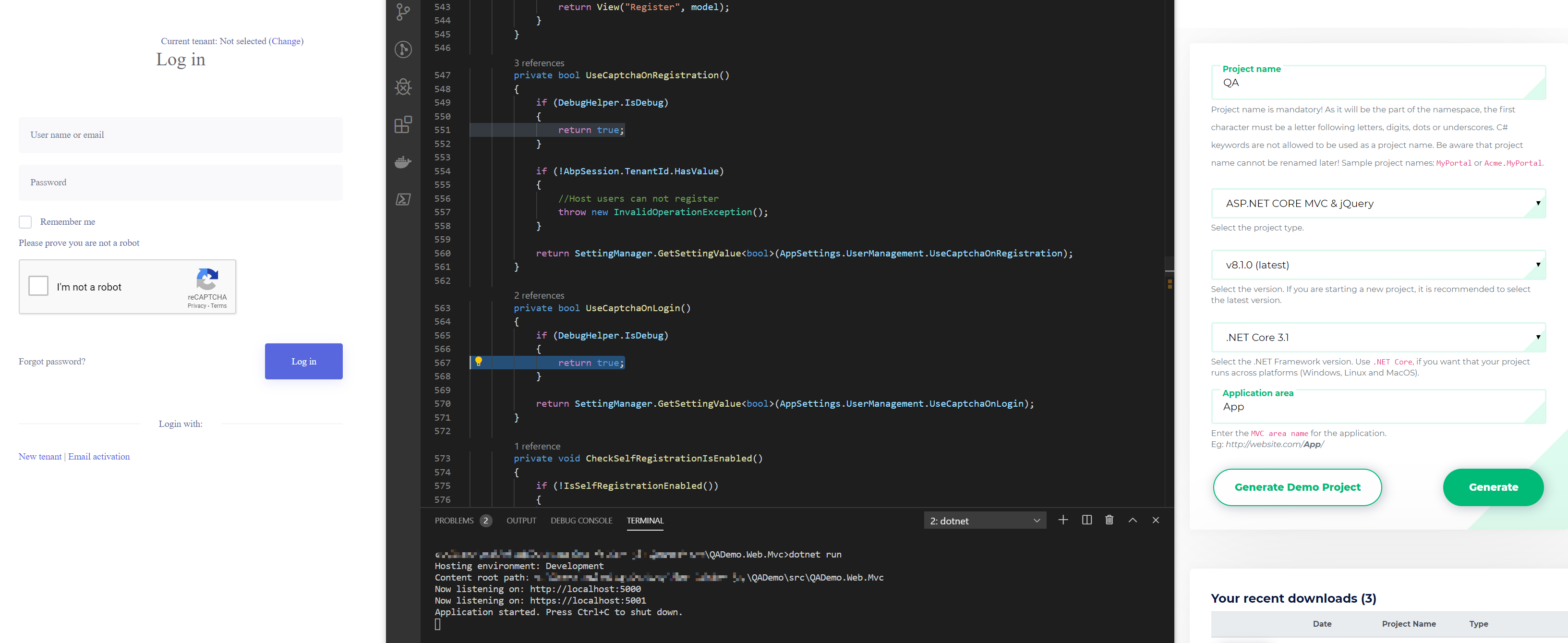 Markdown is supportedCopy & paste or drag & drop images (max 30 MB per image)
 -
0
All well and good, but it does not work when you add extra scripts to your layout.
Markdown is supportedCopy & paste or drag & drop images (max 30 MB per image) -
0
but it does not work when you add extra scripts to your layout.
Sorry, I don't quite understand what you mean, can you share some code so that I can reproduce your problem in the demo project?
Markdown is supportedCopy & paste or drag & drop images (max 30 MB per image) -
0
Just add any extra script tags to your layout is it stops rendering, as you can see in the screenshot it start wrapping your script in the recaptcha tag/element and doesn't actually render it's scripts. If I remove all the custom script tags from everything including login, then it suddenly works, so would rather just make my own implementation cause I have no idea why it's this complicated just have a captcha.
Can't share code on this project, it's a very sensitive anonyous reporting application.
Markdown is supportedCopy & paste or drag & drop images (max 30 MB per image)


