
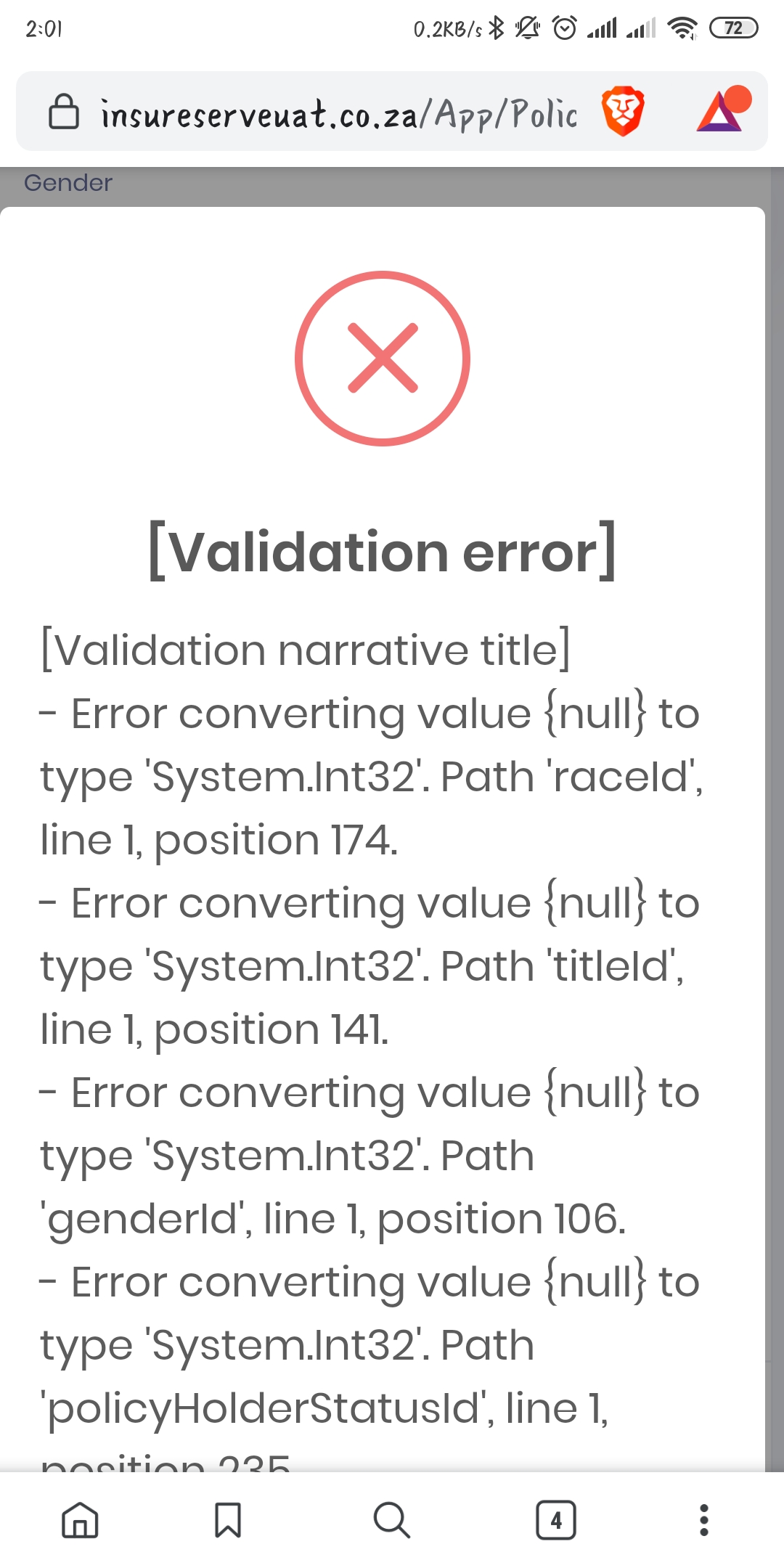
These are the navigation dropdown errors. Where do I make them look proper?
ie....Select the race
19 Answer(s)
-
0
hi
Can you share some code?
From the screenshot, you passed
nullto a non-nullinttype.Markdown is supportedCopy & paste or drag & drop images (max 30 MB per image) -
0
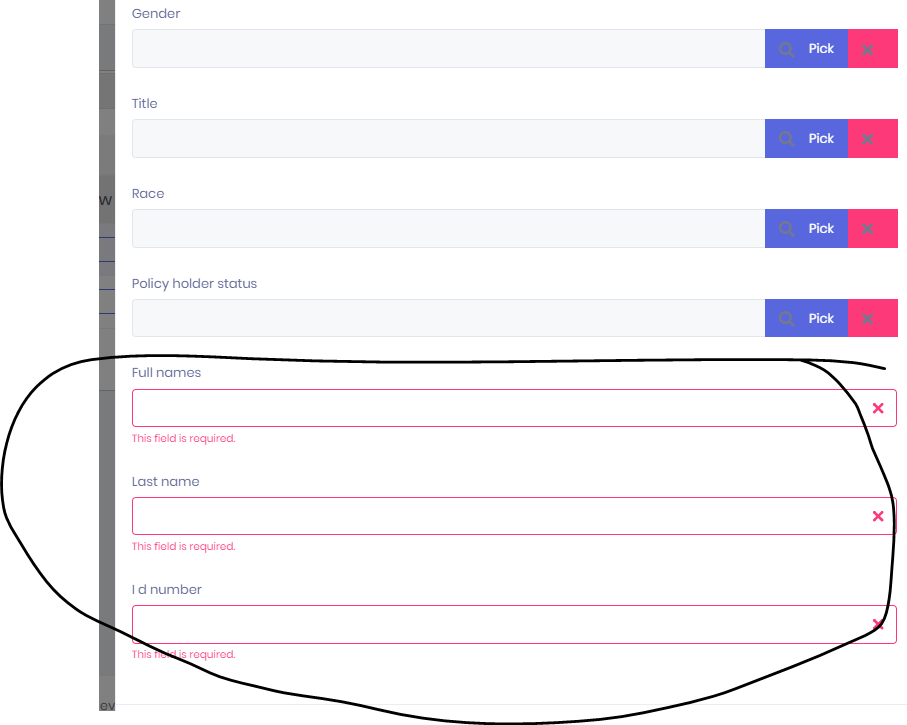
refer to logins (#8759) 360 View - > Create new policy holder (top right) -> Save (just click save without filling any data). Form Validation is not happening on dropdowns. Attached image to support. Those errors I sent ealier are server errors.
 Markdown is supportedCopy & paste or drag & drop images (max 30 MB per image)
 -
0
@siyeza
Is this created by Power Tools ? If so, could you share generated DTO class as well ?
Thanks,
Markdown is supportedCopy & paste or drag & drop images (max 30 MB per image) -
0
Yes, by powertools attached is the generated Dto for Add&Edit see below ...
public class CreateOrEditPolicyHolderDto : EntityDto<long?> {
    [Required]
    [StringLength(PolicyHolderConsts.MaxFullNamesLength, MinimumLength = PolicyHolderConsts.MinFullNamesLength)]
    public string FullNames { get; set; }


    [Required]
    [StringLength(PolicyHolderConsts.MaxLastNameLength, MinimumLength = PolicyHolderConsts.MinLastNameLength)]
    public string LastName { get; set; }


    [Required]
    [StringLength(PolicyHolderConsts.MaxIDNumberLength, MinimumLength = PolicyHolderConsts.MinIDNumberLength)]
    public string IDNumber { get; set; }


    public int PreferredCommunicationId { get; set; }

    public int GenderId { get; set; }

    public int TitleId { get; set; }

    public int RaceId { get; set; }

    public int PolicyHolderStatusId { get; set; }

    public long? OrganizationUnitId { get; set; }

}
Markdown is supportedCopy & paste or drag & drop images (max 30 MB per image) -
0
Hi,
It seems like there is a problem here. Could you open an issue on https://github.com/aspnetzero/aspnet-zero-core/issues ? We will fix it for the next version of RAD Tool.
Markdown is supportedCopy & paste or drag & drop images (max 30 MB per image) -
0
Thanks.
Here is the entire link for reference: https://github.com/aspnetzero/aspnet-zero-core/issues/3129
Markdown is supportedCopy & paste or drag & drop images (max 30 MB per image) -
0
Hi, has this been resolved yet? and what are the steps?
Markdown is supportedCopy & paste or drag & drop images (max 30 MB per image) -
0
hi
The problem is being solved, please pay attention to the github issue. https://github.com/aspnetzero/aspnet-zero-core/issues/3129
Markdown is supportedCopy & paste or drag & drop images (max 30 MB per image) -
0
Hi, thanks for this. What shoud I do now? Get the latest and merge or there is something I can just add to my existing code?
Markdown is supportedCopy & paste or drag & drop images (max 30 MB per image) -
0
Hi,
You should wait for next version of Power Tools. We will release it this week.
Markdown is supportedCopy & paste or drag & drop images (max 30 MB per image) -
0
Hi @ismcagdas, please let me know as soon as this has been released.
Markdown is supportedCopy & paste or drag & drop images (max 30 MB per image) -
0
@Jobe will do.
Markdown is supportedCopy & paste or drag & drop images (max 30 MB per image) -
0
Hi, have you guys released the latest RAD tool..?
Markdown is supportedCopy & paste or drag & drop images (max 30 MB per image) -
0
Hi @Jobe,
We have found a few more problems and will release when fixing those problems. Probalby on tuesday.
Thanks,
Markdown is supportedCopy & paste or drag & drop images (max 30 MB per image) -
0
Hi @ismcagdas, any updates on this matter?
Markdown is supportedCopy & paste or drag & drop images (max 30 MB per image) -
0
Hi @Jobe,
Sorry for the delay, we will release new version on next Monday.
Markdown is supportedCopy & paste or drag & drop images (max 30 MB per image) -
0
Hi @ismcagdas, have you guys done this release?
Markdown is supportedCopy & paste or drag & drop images (max 30 MB per image) -
0
hi @Jobe
v8.6 has been released.
https://github.com/aspnetzero/aspnet-zero-core/releases https://aspnetzero.com/Download
Markdown is supportedCopy & paste or drag & drop images (max 30 MB per image)

